

AI tools for homeschool parents: Save 20 hours every week
AI tools for homeschool parents are specialized software applications, such as ChatGPT, Khanmigo, and MagicSchool.ai, designed to automate lesson planning, grading, and personalized tutoring. By leveraging these platforms, homeschooling families can reduce administrative tasks by 20 hours or more weekly, allowing for more focused one-on-one instruction and reduced parental burnout.
The End of the “Sunday Night Scramble”
If you homeschool, you know the feeling. It’s 9:00 PM on a Sunday. The house is finally quiet, but instead of relaxing, you are buried under a mountain of textbooks, trying to figure out how to teach long division and the American Revolution before Monday morning.
For years, the burden of being the principal, teacher, cafeteria worker, and guidance counselor fell entirely on your shoulders. But the software landscape has shifted. We aren’t talking about replacing you as the parent-teacher. We are talking about hiring a world-class teaching assistant who works for pennies and never sleeps.
This guide moves beyond generic advice. We are looking at specific, safe, and powerful AI tools for homeschool parents that handle the grunt work so you can focus on the actual teaching.
Key Takeaways: Top AI Tools at a Glance
| Category | Top Tool Recommendation | Cost (Est. USD) | Time Saved Weekly |
|---|---|---|---|
| Lesson Planning | ChatGPT Plus / Claude 3 | $20/mo | 5-8 Hours |
| Math Tutoring | Khanmigo (Khan Academy) | $4/mo | 3-5 Hours |
| Worksheet Creation | MagicSchool.ai | Free / $12.99/mo | 2-4 Hours |
| Neurodiversity Support | Goblin.tools | Free (Web) / $0.99 (App) | 2-3 Hours |
| Writing & Research | Perplexity AI | Free / $20/mo | 3-4 Hours |
1. The Ultimate Planner: Using LLMs for Curriculum Design
The biggest time-suck in homeschooling is often “The Plan.” Buying a boxed curriculum is expensive (often $500+ per student), but building your own takes weeks. Large Language Models (LLMs) like ChatGPT (OpenAI) or Claude (Anthropic) bridge this gap.
Think of these tools as a curriculum consultant. They don’t just spit out facts; they can structure an entire school year based on your child’s specific interests.
How to Build a “Unit Study” in Seconds
Let’s say your 4th grader is obsessed with Minecraft. A traditional textbook won’t help you there. However, you can use AI to turn that interest into a full educational unit.
Try this specific prompt:
“Create a 5-day unit study for a 4th-grade student centered around Minecraft. Include 3 math problems (area/perimeter), 1 science activity (geology/mining), and 1 creative writing prompt for each day. Format this as a weekly schedule with a supply list.”
In less than 30 seconds, you have a customized curriculum that would have taken you four hours to research and assemble.
Pro Tip: When using ChatGPT for history or science, always ask it to “Cite sources suitable for a middle school reading level.” This reduces the chance of false information (hallucinations) and gives you links to check the facts.

2. Khanmigo: The Socratic Tutor
Many parents dread the day their child’s math skills surpass their own. Once you hit Algebra II or Calculus, the “teacher” often becomes the “student trying to relearn math at midnight.”
Khan Academy has long been a staple in US homeschooling, but their new AI tool, Khanmigo, is a massive leap forward. Unlike ChatGPT, which might just give a student the answer (tempting them to cheat), Khanmigo is programmed to use the Socratic Method.
Why It’s Different
If your child asks Khanmigo, “What is the answer to 5x + 3 = 18?”, it won’t say “3.”
Instead, it will ask, “What do you think is the first step to isolate x?”
It guides the student step-by-step. This frees you from hovering over their shoulder during math hour. You can be washing dishes or helping a sibling while Khanmigo acts as a 1-on-1 tutor.
Cost Analysis: At roughly $4 per month (often billed as a donation to the non-profit), it is significantly cheaper than a human tutor, which averages $40–$60 per hour in the US.
3. MagicSchool.ai: The Administrator We All Need
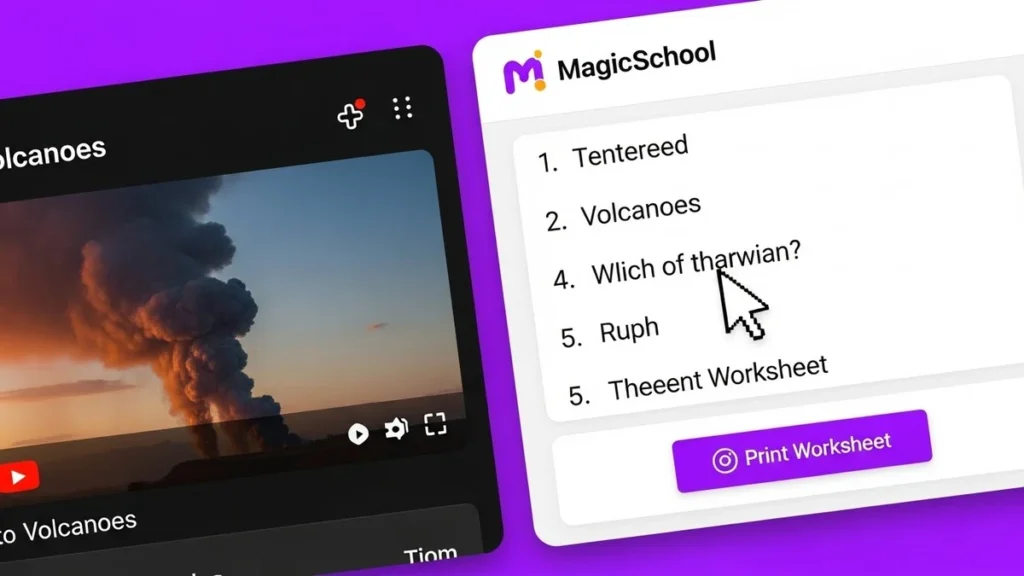
If you haven’t heard of MagicSchool.ai, you are missing out on the “Swiss Army Knife” of AI tools for homeschool parents. While designed for classroom teachers, it is perfectly suited for home education.
This platform aggregates over 50 different AI tools into one dashboard. It removes the need to write complex prompts. You simply click a button that says “Make a Rubric” or “Generate Worksheet,” fill in a few blanks, and hit go.
Top Features for Homeschoolers:
- YouTube Video Question Generator: Paste a link to an educational YouTube video (like Mark Rober or SmarterEveryDay), and it generates a 10-question multiple-choice quiz to ensure your child actually watched and understood it.
- Text Leveler: Have a difficult article from the New York Times or a science journal? Paste the text, select “Grade 6,” and the AI rewrites it to match your child’s reading level without losing the core information.
4. Neurodiversity & Executive Function: Goblin. tools
A significant percentage of homeschooling families in the US choose this path because their children have ADHD, autism, or other learning differences. Standard curricula often move too fast or feel too rigid.
Goblin. Tools is a hidden gem. It is a free AI specifically designed to help with “executive dysfunction”—the struggle to plan and organize tasks.
The “Magic To-Do” List
If you write “Clean your room” on a chore chart, a child with ADHD might freeze. They don’t know where to start.
With Goblin. tools, you type “Clean your room” and click the “Magic Wand” button. The AI breaks it down into micro-steps:
- Pick up dirty laundry.
- Put books on the shelf.
- Throw away trash.
- Make the bed.
This helps students (and parents!) tackle large, overwhelming projects like “Write a Term Paper” or “Organize the Science Fair Project” by making them manageable.
Pro Tip: Use the “Judge” feature on Goblin.tools to help children understand tone in writing. They can paste an email or text they wrote, and the AI will tell them if it sounds rude, polite, or sarcastic. This is excellent for social-emotional learning (SEL).
5. Creative Arts & Visuals: Midjourney and Canva
Homeschool budgets for art supplies and electives can be tight. However, AI image generators allow students to visualize their stories and history lessons vividly.
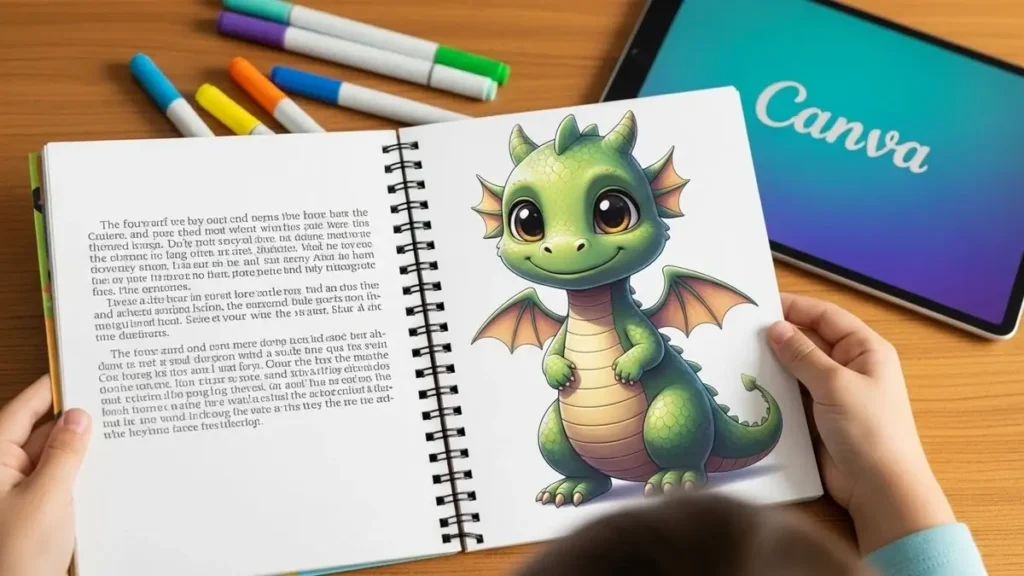
Canva Magic Studio is the most family-friendly option here. It is integrated into the Canva platform (which many homeschoolers already use for posters).
Use Case: The “Living” History Book
Instead of just writing a report on Ancient Egypt, have your child write a story set in that time period. Then, use Canva’s text-to-image generator to create illustrations for their book.
- Prompt: “A realistic painting of an ancient Egyptian market with pyramids in the background, golden hour lighting.”
This turns a boring writing assignment into a creative publishing project. It teaches prompt engineering—a vital future job skill—alongside history and writing.
6. The “Skeptic’s Corner”: Accuracy and Safety
We must address the elephant in the room. Can you trust these tools?
AI “hallucinations” occur when a chatbot confidently states a fact that is wrong. For example, it might invent a court case that never happened. This is why AI should never be the primary source of truth for facts without verification.
The “Trust but Verify” Method:
- Use AI for Structure, Not Facts: Ask AI to outline an essay, not write it. Ask it to plan a science experiment, but check the safety of the chemicals yourself.
- Perplexity AI: For research, consider switching from Google to Perplexity AI. Unlike ChatGPT, Perplexity browses the live internet and cites every single sentence with a footnote. If it tells you the population of Texas, it links to the Census Bureau. This makes it a superior tool for student research papers.
7. Grading and Feedback: Saving Your Sunday Evenings
Grading essays is subjective and exhausting. Grading math requires checking every step. AI can handle the “first pass” of grading, giving you your weekend back.
How to set it up:
Take a photo of your child’s handwritten essay. Upload it to ChatGPT or Claude.
- Prompt: “Act as a strict 8th-grade English teacher. Grade this essay based on grammar, thesis clarity, and sentence structure. Provide 3 positive points and 3 areas for improvement. Do not rewrite the essay, just provide feedback.”
The feedback is instant and objective. It removes the “Mom is being mean” dynamic because the computer gave the critique, not you. You can then review the AI’s notes and have a constructive conversation with your child.

8. Customizing for Different Ages (Differentiation)
One of the hardest parts of homeschooling is teaching multiple ages at once. You might have a 1st grader and a 5th grader learning about the Solar System simultaneously.
AI excels at Differentiation.
The Workflow:
- Ask ChatGPT for a summary of “Photosynthesis.”
- Then ask: “Rewrite this explanation for a 6-year-old using an analogy about baking a cake.”
- Then ask: “Rewrite this explanation for a 12-year-old, including chemical formulas.”
Now, you can teach the same topic to the whole family, but every child gets materials suited to their brain’s development. This is a technique that takes classroom teachers hours to prep; you can do it in seconds.
9. Foreign Language Practice
Rosetta Stone and Duolingo are great, but they lack conversation practice.
ChatGPT (specifically the Voice Mode on the mobile app) is an incredible language partner.
- Instruction: “I want to practice Spanish. Converse with me at a beginner level. Correct my grammar after every response, but keep the conversation going.”
Your child can literally talk to the phone, and it will respond in perfect Spanish (or French, German, Japanese), offering a patient conversational partner that never gets tired or embarrassed by mistakes.

Frequently Asked Questions (FAQs)
Q: Will using AI make my child lazy or prone to cheating?
A: It is a valid concern. The key is to frame AI as a “Co-pilot,” not an “Autopilot.” For younger children, you should control the mouse and keyboard. For teenagers, have open discussions about academic integrity. Use tools like Khanmigo that are designed to guide rather than answer.
Q: Is there a privacy risk with these tools?
A: Yes. Never put your child’s full real name, address, or medical information into a public AI tool. Use pseudonyms (e.g., “Student A”) or generic prompts. Check the settings of tools like ChatGPT to turn off “Chat History & Training” if you do not want your data used to train their models.
Q: Are these tools expensive?
A: Many are free or have robust free tiers (ChatGPT 3.5, Goblin. tools, Bing Chat). However, paying for premium versions (like ChatGPT Plus at $20/month) often unlocks faster speeds, better reasoning, and image generation, which can be worth the cost for a large family.
Q: Can AI replace a math curriculum?
A: Not entirely. AI is a supplement. You still need a core scope and sequence (a list of what to teach and when). Use a standard curriculum (like Saxon Math or Singapore Math) as your roadmap, and use AI to help explain the difficult concepts when the book isn’t clear.
Q: Which tool is best for a parent who isn’t “tech-savvy”?
A: Start with MagicSchool.ai. It has a user-friendly interface with buttons and forms, so you don’t need to know how to “chat” with a robot. It feels like filling out a standard web form.
Final Thoughts: Reclaiming Your Time
The goal of homeschooling is freedom—freedom to learn at your own pace and freedom to spend quality time together. But that freedom vanishes if you are chained to lesson planners and grading sheets until midnight.
By integrating these AI tools for homeschool parents, you aren’t “cheating.” You are modernizing your home classroom. You are saving 20 hours a week on administration so you can spend 20 more hours on what actually matters: connecting with your children and watching them learn.
Start small. Pick one tool from this list—maybe the meal planner or the math tutor—and try it this week. You will wonder how you ever managed without it.
Views: 0



![How to Make the Best Homeschool Schedule with AI: A Full Weekly Planning Guide [2026]](https://theaihomeschooler.com/wp-content/uploads/2026/04/Create-a-Homeschool-Schedule-with-AI-768x403.webp "How to Make the Best Homeschool Schedule with AI: A Full Weekly Planning Guide [2026]")