
AI reading tools for dyslexia are advanced software applications that use artificial intelligence to convert written text into natural-sounding speech, simplify complex sentence structures, and provide real-time grammar correction. These tools significantly reduce cognitive load by handling the decoding process, allowing users to focus entirely on comprehension and retention, rather than struggling to read word by word.
Reading isn’t just about seeing words; it’s about decoding them fast enough to make sense of the story or concept. For the 40 million American adults and countless students living with dyslexia, this process can feel like running a marathon in mud.
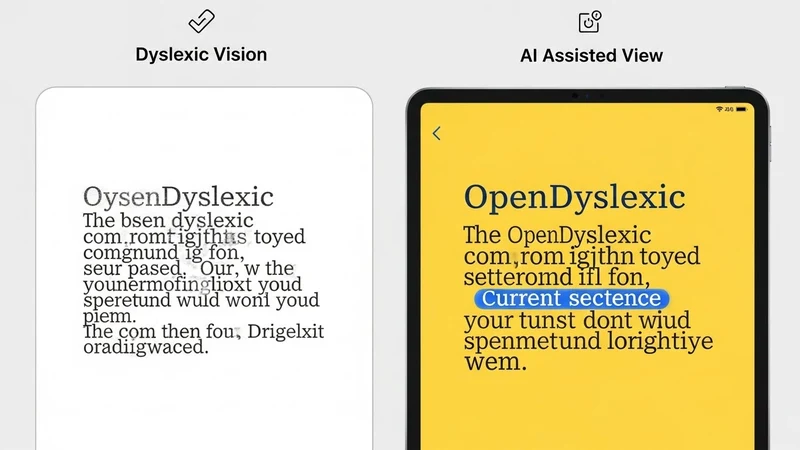
Fortunately, technology has moved past simple “text-to-speech” robotic voices. We now have adaptive AI that learns how you read, predicts what you want to write, and even changes the visual layout of a webpage to stop letters from “dancing” on the screen.
This guide skips the fluff. We are examining the7 most effective tools currently available in the US market, ranking them by features, voice quality, and actual utility for neurodivergent brains.
Quick Summary: Top Picks at a Glance
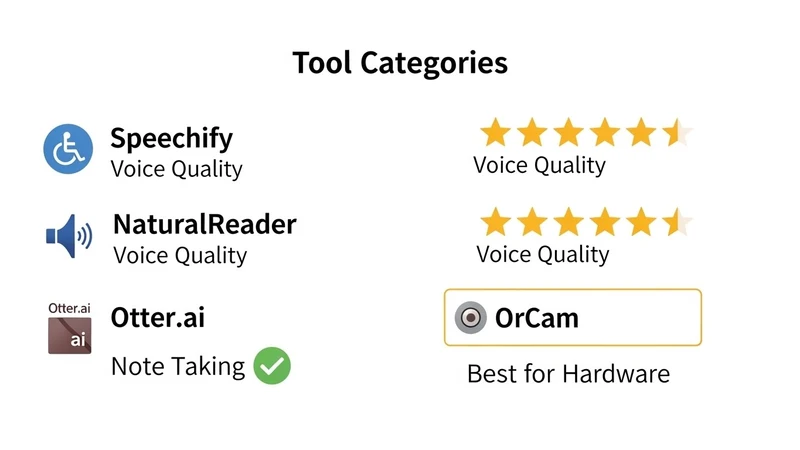
| Tool Name | Best For | Standout AI Feature | Starting Price (USD) |
|---|---|---|---|
| Speechify | Overall Reading | Celebrity Voices & OCR | Free / $139/yr |
| MS Immersive Reader | Students/Education | Syllabification & Focus Mode | Free (Built-in) |
| Grammarly | Writing Confidence | Tone & Context Detection | Free / $12/mo |
| Otter.ai | Note Taking | Real-time Transcription | Free / $10/mo |
| NaturalReader | PDFs & Documents | Filtered Audio Export | Free / $9.99/mo |
| OrCam MyEye | Severe Dyslexia | Wearable Visual Recognition | ~$2,990 (Hardware) |
| Helperbird | Browser Customization | Overlay & Font Adjustments | Free / $40/yr |
Why AI is Different from Old School Text-to-Speech
Before we jump into the list, it is vital to understand why AI reading tools for dyslexia are superior to the accessibility tools of the early 2000s.
Old tools simply read text from left to right. They stumbled over abbreviations, couldn’t tell the difference between “read” (present tense) and “read” (past tense), and sounded like robots.
Modern AI brings three distinct advantages:
- Context Awareness: AI understands the sentence structure. It knows to pause at commas and raise the pitch at a question mark. This prosody (rhythm of speech) aids comprehension.
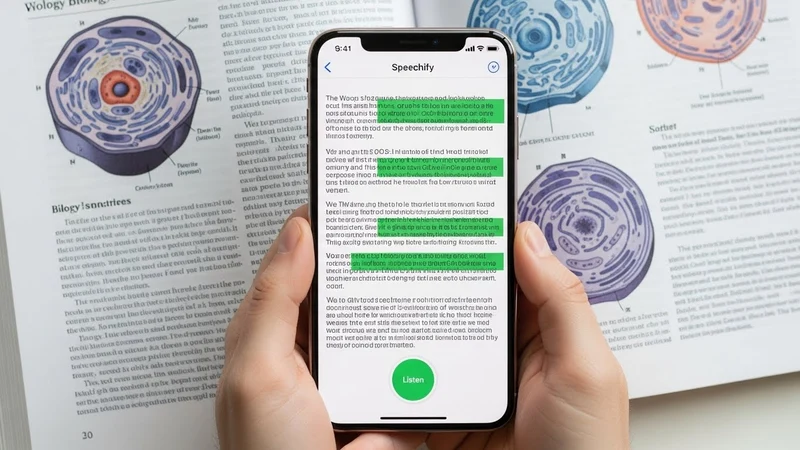
- Optical Character Recognition (OCR): You can take a picture of a street sign or a restaurant menu with your phone, and the AI will recognize the text instantly, even in bad lighting.
- Visual Anchoring: Many of these tools use a “karaoke style” highlighter that moves along with the voice. This trains the eye to track text more efficiently, actually improving unassisted reading skills over time.
Pro Tip: When testing these tools, always look for “WPM” (Words Per Minute) controls. Many people with dyslexia can actually comprehend audio faster than the average reading speed. Try bumping the speed to 1.5x or 2x to see if your retention improves.
The Top 7 AI Reading Tools for Dyslexia
1. Speechify: The Gold Standard for Natural Audio
If you want to turn any physical book, PDF, or email into a podcast, Speechify is currently the market leader. Founded by Cliff Weitzman, who has dyslexia himself, the app addresses specific pain points of the condition.
Why it works:
Speechify uses high-end AI voices (including celebrity voices like Gwyneth Paltrow or Snoop Dogg) that sound indistinguishable from humans. This prevents the “listener fatigue” that comes from hearing robotic drones.
Key Features:
- Camera Integration: Snap a photo of a textbook page, and it reads it instantly.
- Cross-Platform: Start listening on your Chrome browser and finish on your iPhone during your commute.
- Speed Training: Can ramp up to 900 words per minute.
Cost: There is a decent free version, but the Premium AI voices cost around $139 per year.
2. Microsoft Immersive Reader: The Best Free Option
You might already own this without knowing it. Built into Microsoft Word, OneNote, Edge, and Teams, the Immersive Reader is a powerhouse for students.
Why it works:
It strips away the “noise.” Webpages and documents are often cluttered with ads or weird formatting. This tool removes everything except the text. It allows you to break words into syllables (e.g., “syll-a-bles”) and identify parts of speech (nouns, verbs) with color codes.
Key Features:
- Picture Dictionary: Click on a word like “Astronaut,” and a picture appears. Great for younger readers.
- Line Focus: Blacks out the rest of the screen, highlighting only 1, 3, or 5 lines at a time to prevent visual overcrowding.
- Cost: 100% Free with a Microsoft account.
3. Grammarly: Beyond Just Spelling
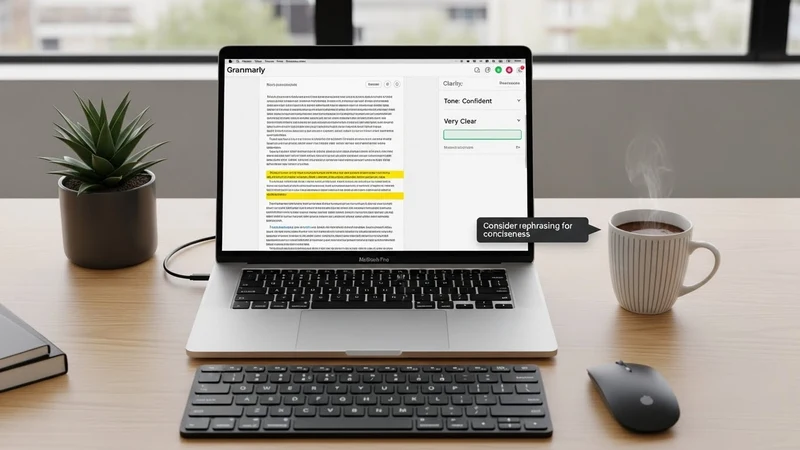
While technically a writing assistant, Grammarly is essential for the output side of dyslexia. Many people with dyslexia have excellent vocabularies but struggle to get the words on paper correctly.
Why it works:
Standard spellcheckers fail dyslexic users because phonetic spelling (e.g., writing “fens” instead of “fence”) often confuses basic software. Grammarly’s AI looks at the context of the whole sentence to figure out what you meant to say.
Key Features:
- Tone Detector: Helps users ensure their email doesn’t sound rude or abrupt—a common anxiety for those who struggle with writing.
- Rewrites: Suggests complete sentence rewrites for clarity, not just spelling fixes.
Cost: Free basic version. Premium is approx $12/month.
4. Otter.ai: For the Auditory Learner
School and meetings are difficult if you are trying to take notes while listening. Dyslexia often impacts working memory, making it hard to hold a thought while writing it down.
Why it works:
Otter.ai records meetings and lectures and turns them into text live. Instead of frantically writing, you can highlight key points in the transcript as they are spoken.
Key Features:
- Speaker Identification: The AI knows who is talking (e.g., “Professor Smith” vs. “Student”).
- Searchable Audio: You don’t have to listen to the whole hour again. Just search for “homework,” and it jumps to that second in the recording.
Cost: Generous free plan (300 minutes/month). Pro is $10/month.
5. NaturalReader: The Document Specialist
While Speechify is great for casual reading, NaturalReader excels in professional and academic environments where you are dealing with heavy PDFs and Docx files.
Why it works:
It preserves the formatting of documents better than most other tools. It also offers a “miniboard” that floats on top of other applications, allowing you to listen to emails while working in Excel.
Key Features:
- MP3 Export: You can convert a 50-page PDF into an MP3 file to listen to on an MP3 player or car stereo (great for offline usage).
- Pronunciation Editor: You can teach the AI how to say specific industry jargon or proper names.
Cost: Free online reader. App versions start at $9.99/month.
6. OrCam MyEye: The Wearable Game-Changer
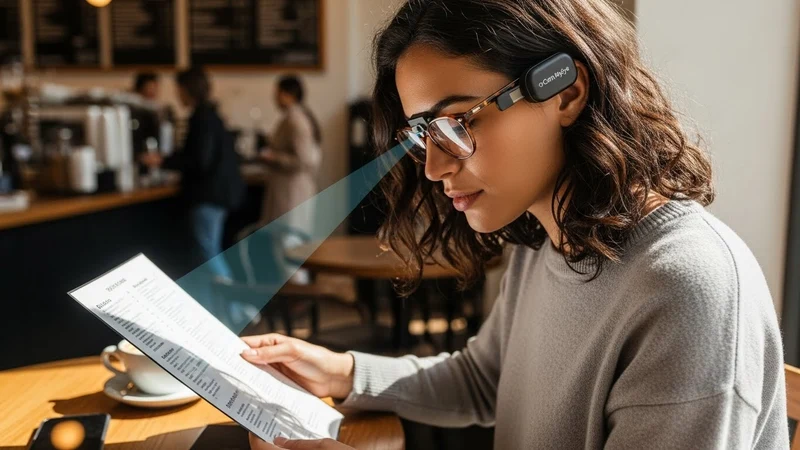
This is a hardware device, not just an app. It is a small camera that mounts onto the frame of any pair of glasses.
Why it works:
For individuals with severe dyslexia or low vision, pulling out a phone isn’t always practical. You simply point your finger at a text (a menu, a book, a screen), and the OrCam whispers the text into your ear.
Key Features:
- Smart Reading: You can ask it commands like, “Read the total,” when looking at a bill, or “Read the headlines,” when looking at a newspaper.
- Face Recognition: It also identifies people and products.
Cost: This is an investment. Prices usually sit around $2,990, though payment plans and state grants are sometimes available in the USA.
7. Helperbird: The “Swiss Army Knife” Extension
Helperbird is a browser extension that bundles almost every accessibility feature imaginable into one menu.
Why it works:
It allows for total customization of the web. If you hate white backgrounds because of glare (Irlen Syndrome), you can change every website to a pastel green or dark mode instantly.
Key Features:
- Font Override: Force every website to display in “OpenDyslexic” or “Arial” fonts.
- Ruler Overlay: A digital reading ruler that follows your mouse to keep your place on the page.
Cost: Free limited version. Pro Unlimited is $40/year.
Buying Guide: What to Look For
When choosing an AI reading tool for dyslexia, do not just look at the price tag. Consider these three factors:
1. Voice Naturalness vs. Fatigue
If the voice sounds metallic or robotic, the brain has to work harder to “humanize” the sound. This causes cognitive fatigue. Always listen to the voice samples before buying. You want “Neural TTS” (Text-to-Speech) technology.
2. Offline Capability
Do you need an internet connection? For students in schools with spotty Wi-Fi or commuters on the subway, tools like NaturalReader (which allows downloading audio) are superior to cloud-only tools.
3. Integration Workflow
Does the tool fit your life? If you do all your work in Google Docs, you need a Chrome Extension (like Helperbird or Read&Write). If you read physical books, you need a mobile app with a strong camera scanner (like Speechify).
Pro Tip: Check your library. Many US public libraries offer free access to premium apps or have partnerships with services like Libby/Overdrive, which have built-in dyslexia-friendly fonts and audiobooks.
The Future: AI and Dyslexia
We are currently seeing the emergence of “Generative Reading.” In the near future, AI won’t just read the text; it will summarize it for you first. Imagine a tool that reads a complex 10-page academic paper and says, “Here are the three main points,” before reading the full text. This helps prime the dyslexic brain for the incoming information, vastly improving retention.
Furthermore, predictive text is getting smarter. It is moving away from simple dictionary matching to semantic prediction. If you type “The sky is bl..”, the AI knows you mean “blue,” not “blob,” based on the context of the sentence.
Frequently Asked Questions (FAQs)
Q: Do these AI tools cure dyslexia?
A: No, dyslexia is a lifelong neurological difference. AI tools are “assistive technology.” They act like glasses for near-sighted people—they don’t fix the eyes, but they make seeing (or in this case, reading) possible and efficient.
Q: Does insurance cover AI reading tools in the US?
A: Generally, health insurance does not cover software apps. However, hardware like OrCam can sometimes be covered under vocational rehab grants or specific assistive technology stipends. For students, these tools can often be included in an IEP (Individualized Education Program) at no cost to the family.
Q: Will using text-to-speech stop a child from learning to read?
A: This is a common myth. Research suggests that “ear reading” (listening while tracking text) actually builds vocabulary and decoding skills. It allows students to access grade-level content that they couldn’t read independently, preventing them from falling behind in subjects like science or history.
Q: Which tool is best for math equations?
A: Standard text-to-speech struggles with math. EquatIO (by Texthelp) is the industry leader for reading math and STEM content aloud correctly.
Q: Are there free alternatives to Speechify?
A: Yes. Microsoft Immersive Reader is the best free alternative. Additionally, Apple and Android devices have built-in “Speak Screen” accessibility features that are completely free, though the voices may be slightly less natural than Speechify’s premium options.