
Table of Contents
- Why You Need a Homeschool Transcript Template
- What Is a Homeschool Transcript?
- 3 Free Template Options
- Step-by-Step Creation Guide
- How to Assign Credits
- GPA Calculation Made Simple
- Transcript vs. Diploma
- Frequently Asked Questions
- Real Transcript Examples
- Your Next Steps
Why You Need a Homeschool Transcript Template (And Why It’s Easier Than You Think)
Creating a homeschool transcript doesn’t require fancy software, accreditation, or paying hundreds of dollars to “experts.” You already have everything you need: a template, your records, and 30 minutes of your time.
This guide gives you:
- Free printable homeschool transcript template (PDF download)
- AI transcript generator tools reviewed & compared
- Step-by-step formatting guide for college approval
- Real transcript examples from successful homeschoolers
- GPA calculator tips & credit assignment rules
Colleges accept homeschool transcripts created by parents. No notary. No accreditation. No magic—just professionalism. Let’s build yours.
What Is a Homeschool Transcript? (Essential Components)
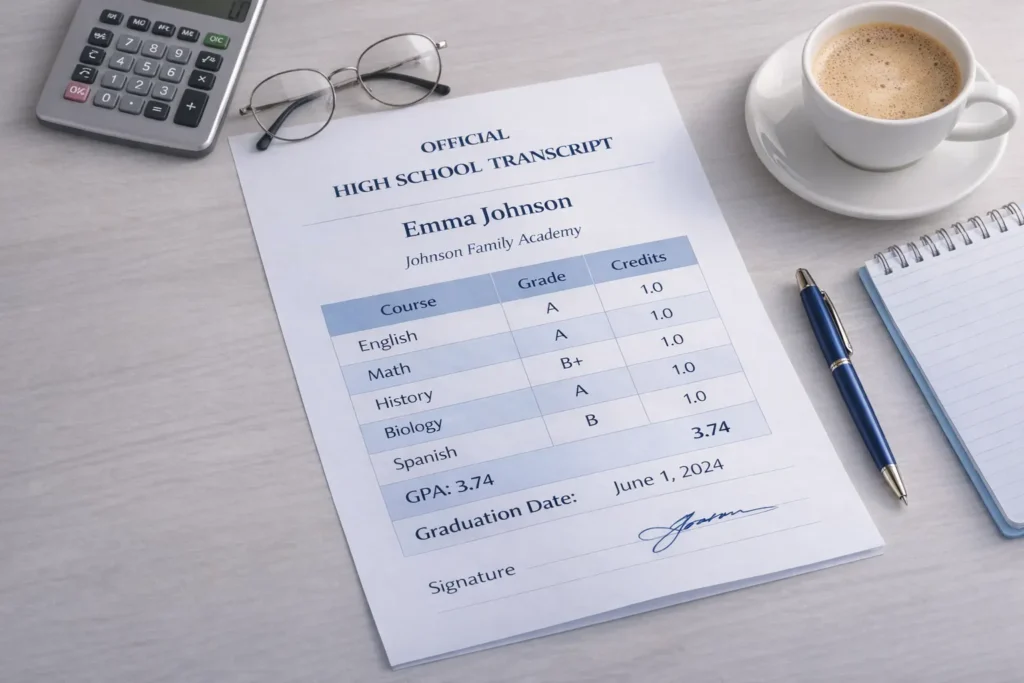
A homeschool transcript is an official academic record that colleges review during admissions. Here’s exactly what must be included:
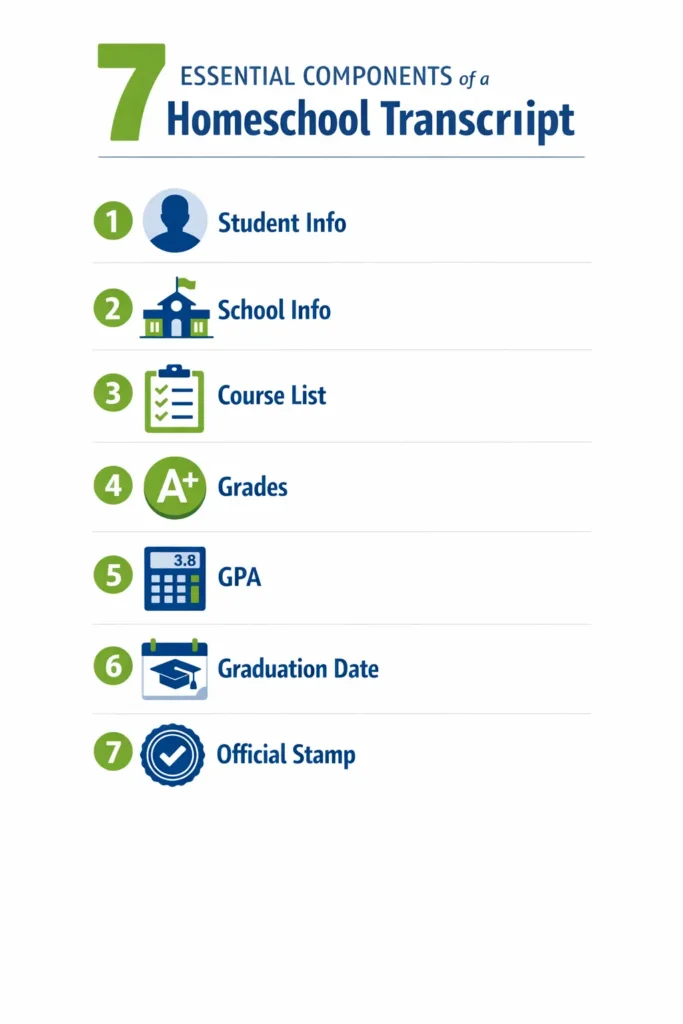
Required Components:
| Component | Details | Required? |
|---|---|---|
| Student Information | Full legal name, date of birth, address | YES |
| School Information | Homeschool name, address, administrator name & signature | YES |
| Course List by Year | 9th-12th grade courses organized chronologically | YES |
| Grades & Credits | Letter/numeric grade, credit value per course | YES |
| GPA Calculation | Cumulative GPA, yearly GPA (weighted/unweighted) | YES |
| Graduation Date | Actual or projected graduation date | YES |
| Official Stamp | “Official Transcript” label + parent signature + date | YES |
Optional Components:
| Component | Details | Required? |
|---|---|---|
| Standardized Test Scores (SAT/ACT) | Optional—enter on college application instead | NO |
| Extracurricular Activities | Optional—report separately on application | NO |
| Awards & Honors | Optional—keep separate from transcript | NO |
Key Insight: Your signature + the words “Official Transcript” = an official document colleges accept. You’re the school. Your signature makes it official.
3 Free Homeschool Transcript Template Options (Ranked)
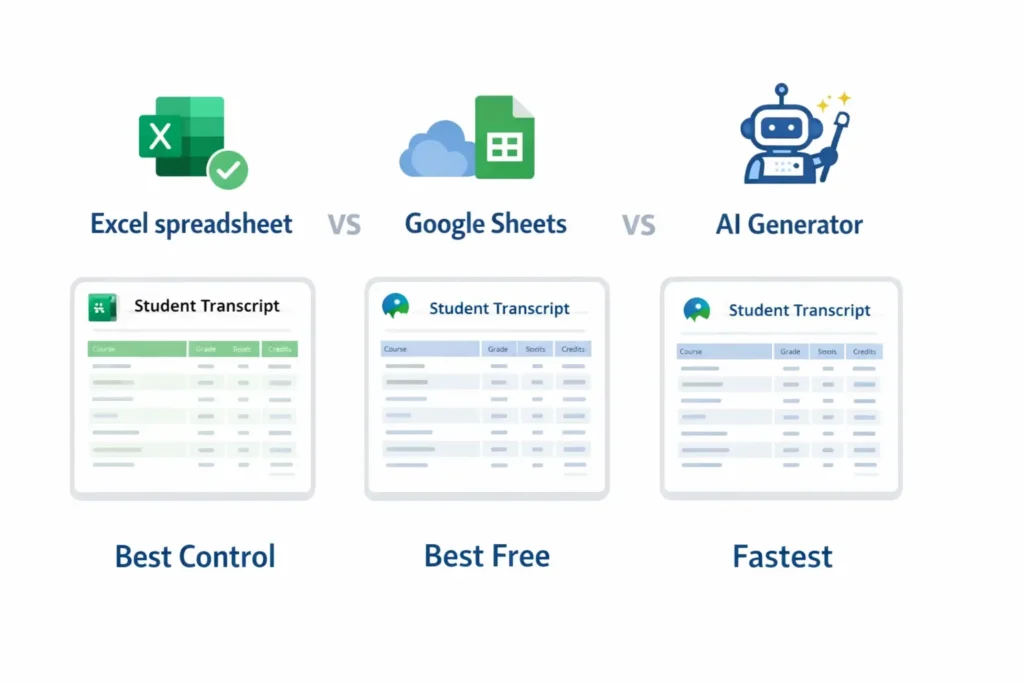
Option 1: Excel Spreadsheet Template (RECOMMENDED for AI Automation)
Best for: Automatic GPA calculations, easy editing, scalable for multiple students
Features:
- Automatic GPA formula included
- Professional formatting with table designs
- Works on Mac, Windows, iPad, Android
- Save multiple versions for each student
- Setup time: 10 minutes
How to set up:
- Download free Excel template from Homeschool Boss or NavEd
- Fill in student name, school name, courses, grades
- Excel calculates GPA automatically using formula: =SUM(grade_column)/ROWS(grade_column)
- Export as PDF, print, sign in blue ink
- Upload to college application
Option 2: Google Sheets (FREE, Cloud-Synced)
Best for: Parents who want cloud backup, real-time editing from any device
Features:
- Automatically saved to Google Drive
- Share with spouse, financial aid counselor
- Built-in charts for GPA visualization
- Version history (undo mistakes instantly)
- Setup time: 5 minutes
Start here: Homeschool Boss free Google Sheet template
Option 3: AI Transcript Generators (FASTEST)
Best for: Parents who want zero spreadsheet work, professional output in minutes
These tools automatically format transcripts, calculate GPA, and generate PDFs:
| Tool | Cost | Features | Speed |
|---|---|---|---|
| NavEd (Free) | Forever free | Mobile-friendly, automatic GPA, instant PDF export, no signup | 15 min |
| Homeschool Hall | One-time $20-50 | AP/IB/Dual Enroll support, weighted GPA, works offline | 10 min |
| Transcript Maker | $50-99/year | Multiple students, cumulative GPA options, professional layouts | 12 min |
| Nautilus Homeschool | Free generator | Curriculum integrated, K-12 records, bulk export | 10 min |
Top Pick for 2026: NavEd (free) – Zero cost, works anywhere, generates official PDFs in 15 minutes with zero spreadsheet headaches.
Need More Customization? If your child has unique learning requirements, check out these AI tools for special needs homeschooling that can help create personalized academic records and accommodations documentation for college applications.
Step-by-Step: Create Your Homeschool Transcript in 30 Minutes
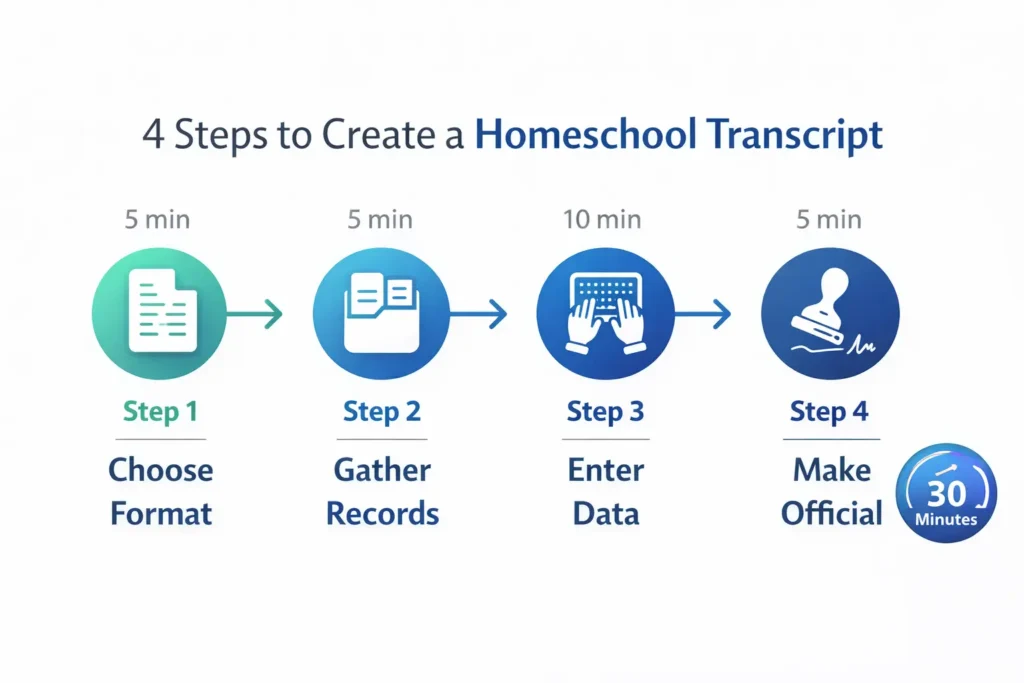
Step 1: Choose Your Format (5 minutes)
- Excel/Google Sheets = more control, better for advanced students
- AI Generator (NavEd) = fastest, requires no spreadsheet skills
Step 2: Gather Your Records (5 minutes)
Before creating your transcript, make sure your course records are organized. If you haven’t planned your courses yet, use an AI lesson plan generator to structure your curriculum properly with clear learning objectives and credit assignments.
Collect:
- Student’s legal name, DOB, graduation date
- All high school courses taken (9th-12th grade)
- Grade for each course (A, B, C, etc. or numeric 95, 87, etc.)
- Credit value per course (usually 0.5 for semester, 1.0 for full year)
- Your name as homeschool administrator
Step 3: Enter Data into Template (10 minutes)
If using NavEd AI Generator:
- Go to nav.education
- Click “Create Transcript”
- Fill in student info form (3 minutes)
- Add courses year-by-year (5 minutes)
- Review auto-calculated GPA
- Download PDF (instant)
If using Excel Template:
- Open downloaded Excel file
- Update header with student/school info (3 minutes)
- Paste course list in table (5 minutes)
- Verify GPA formula auto-calculates
- Format professionally (adjust fonts, colors, spacing)
Step 4: Make It Official (5 minutes)
- Print transcript on white paper (or save as PDF)
- Add header: “OFFICIAL TRANSCRIPT”
- Sign in blue ink (shows it’s original, not photocopied)
- Date signature
- Create PDF copy for storage
That’s it! Your transcript is now college-ready and accepted nationwide.
How to Assign Credits (The Easy Way)
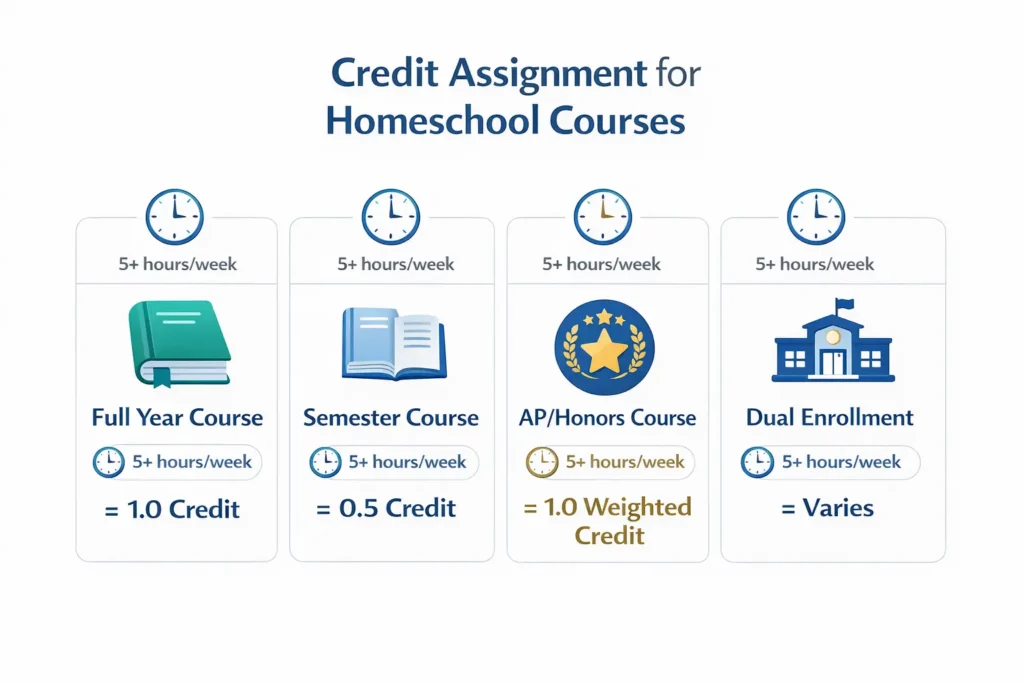
Standard Rule: 1 credit = 1 full-year course | 0.5 credit = 1 semester course
| Course Type | Hours per Week | Credits | Example |
|---|---|---|---|
| Full-year course | 5+ hours/week | 1.0 | Algebra I, World History, Biology |
| Semester course | 5+ hours/week, 18 weeks | 0.5 | Semester Chemistry, AP Prep |
| Honors/AP course | 5+ hours/week, increased rigor | 1.0 (weighted 1.5+) | AP Calculus, Honors English |
| College dual enrollment | College credit hours | 1.0 per college credit | Community college English = 1 credit |
Pro Tip: Total typical high school: 22-24 credits (4 years × 5-6 courses/year). This matches public school standards, so colleges recognize it immediately.
GPA Calculation Made Simple
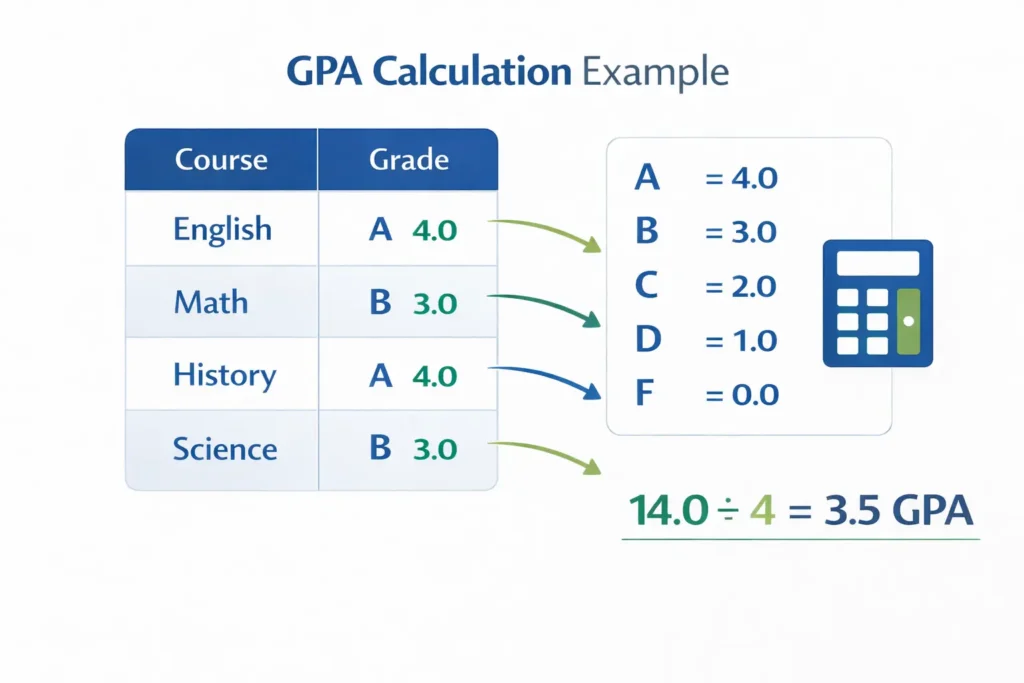
Basic Formula:
GPA = Sum of (grade points × credits) ÷ Total Credits
Grading Scale (Standard):
- A = 4.0 (90-100)
- B = 3.0 (80-89)
- C = 2.0 (70-79)
- D = 1.0 (60-69)
- F = 0.0 (below 60)
Example Calculation:
- English (A, 1.0 credit) = 4.0 × 1.0 = 4.0 points
- Math (B, 1.0 credit) = 3.0 × 1.0 = 3.0 points
- History (A, 1.0 credit) = 4.0 × 1.0 = 4.0 points
- Science (B, 1.0 credit) = 3.0 × 1.0 = 3.0 points
Total: 14.0 points ÷ 4.0 credits = 3.5 GPA
Excel Formula for Auto-Calculation:
=SUMPRODUCT(grade_points, credits) / SUM(credits)
AI generators like NavEd calculate this automatically—you just enter grades!
Transcript vs. Diploma: What’s the Difference?
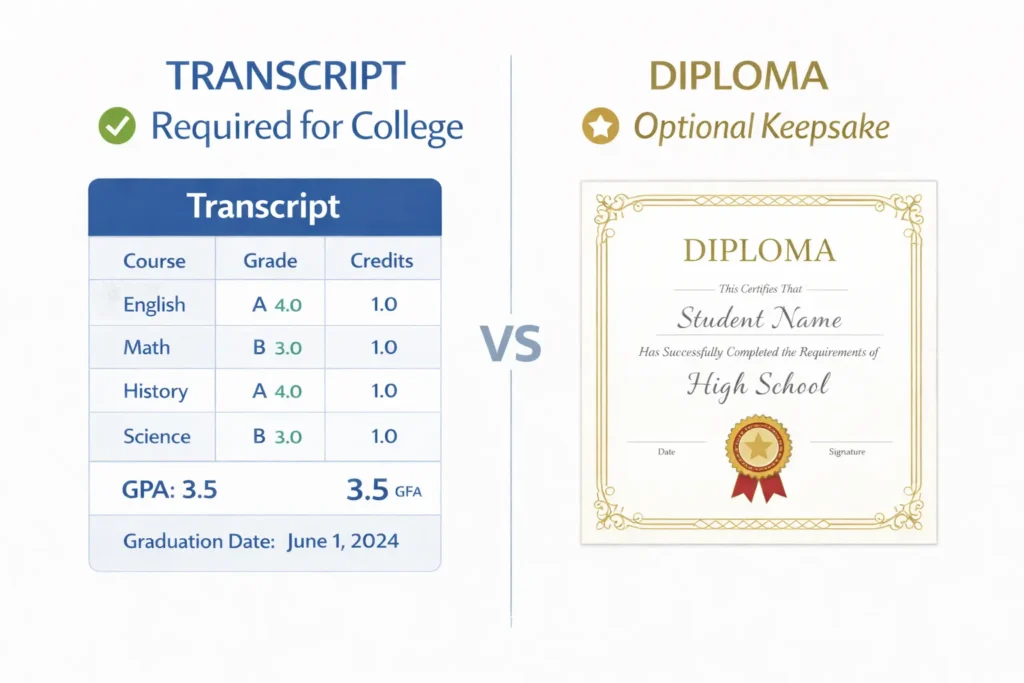
| Aspect | Transcript | Diploma |
|---|---|---|
| Purpose | College admissions, financial aid | Symbol of graduation, wall decoration |
| Contents | Courses, grades, credits, GPA | Name, graduation date, signature |
| Required? | YES (college applications) | Optional (personal keepsake) |
| Format | Spreadsheet-style table, PDF | Certificate-style document |
| Difficulty | Medium (data entry, formatting) | Easy (ceremonial document) |
Reality Check: Colleges only want your transcript. The diploma is just nice to have for sentimental reasons. Focus on the transcript first.
Want to create a beautiful diploma for your graduation ceremony? Download our free homeschool diploma template with professional designs and customizable fields.
Homeschool Transcript Template FAQ
Q: Do I need accreditation for my homeschool transcript?
A: NO. You do NOT need accreditation. You ARE the school authority. Your signature makes it official. Colleges nationwide accept non-accredited homeschool transcripts daily. Accreditation costs money and limits your curriculum control—skip it.
Q: Can I create a transcript in Google Sheets for free?
A: YES. Free homeschool transcript templates exist on Google Sheets (search “homeschool transcript template Google Sheets”). Copy to your own Google Drive, edit, export as PDF. Zero cost, works on any device.
Q: What grading scale should I use?
A: Use the standard 90-100=A, 80-89=B scale. This matches most public schools, so colleges instantly recognize it. If you use non-standard scales (like Mastery-Based), include your grading scale on the transcript for clarity.
Q: Can I include courses from 8th grade?
A: YES. If your child took high school courses in 8th grade (like Algebra I, Spanish 1), include them on the 9th-grade section with an asterisk (*) notation explaining they were taken earlier. GPA calculation includes these grades too.
Q: How do I make my transcript official?
A: Three steps: (1) Type “OFFICIAL TRANSCRIPT” at the top, (2) Sign in blue or black ink, (3) Date your signature. No notary needed. No state seal needed. That’s it. Colleges accept this immediately.
Q: What if I made a mistake on my first transcript?
A: Create a new version, sign it, and submit the corrected version. Colleges typically use the most recent transcript. Keep originals for your records.
Q: Can AI transcript generators replace my template work?
A: YES. NavEd, Homeschool Hall, and Transcript Maker are AI-powered tools that auto-format, auto-calculate GPA, and generate professional PDFs in 10-15 minutes. If you want zero spreadsheet hassle, these tools are worth exploring.
Real Homeschool Transcript Example (Actual Student)
Here’s what a college-approved homeschool transcript looks like:
OFFICIAL HIGH SCHOOL TRANSCRIPT
Student: Emma Sarah Johnson
DOB: March 15, 2008
Graduation Date: June 2026
School: Johnson Family Academy
Address: 123 Main St, Anytown, USA 12345
9th Grade
| Course | Grade | Credits | GPA Points |
|---|---|---|---|
| English 9 (Saxon) | A | 1.0 | 4.0 |
| Algebra I | A | 1.0 | 4.0 |
| World History | B+ | 1.0 | 3.7 |
| Biology | A | 1.0 | 4.0 |
| Spanish 1 | B | 1.0 | 3.0 |
9th Grade GPA: 3.74
Summary
| Item | Value |
|---|---|
| Cumulative GPA (All Years) | 3.82 |
| Total Credits Earned | 23.0 |
| Status | On track for graduation June 2026 |
Administrator Signature: _________________________ Date: _____________
This format has been accepted by universities nationwide for college admissions.
Your Next Steps: Download & Create Today
Ready to build your homeschool transcript? Here’s your action plan:
- Choose Your Method: Excel template, Google Sheets, or NavEd AI generator
- Download Free Template: Homeschool Boss or NavEd
- Fill in Your Data: 10-15 minutes of data entry
- Calculate GPA: Excel formula or AI tool handles this automatically
- Make Official: Sign, date, export as PDF
- Upload: Submit to college applications
Time estimate: 30 minutes total from start to finish.
Pro Tip: Once your transcript is ready, focus on improving grades with the best AI tutors for homeschooling to boost your child’s GPA before college applications. Many families see 0.3-0.5 GPA improvements in just one semester!
Free Resources & Tools Mentioned
- NavEd – Free AI transcript generator, no signup required
- Homeschool Boss – Free Google Sheets template
- Nautilus Homeschool – Free transcript generator
- Homeschool Hall – $20-50 one-time for advanced features
- Transcript Maker – $50-99/year for multiple students
Explore More: Check out our complete collection of AI tools for homeschooling to automate grading, lesson planning, curriculum design, and more.
Disclaimer
This guide reflects current USA homeschool standards (2026). Specific state requirements may vary. Check your state’s homeschool regulations for any required documentation. Always verify college transcript requirements before submission.