
AI Writing Tools Homeschool: Upgrade Your Curriculum Now
Being a homeschool parent is hard work. You are the teacher, the principal, the cafeteria worker, and the guidance counselor. You have a lot on your plate.
Now, everyone is talking about Artificial Intelligence (AI). It sounds scary. You might worry that AI will stop your kids from learning how to write. You might worry it is just a way to cheat.
I get it. But here is the truth: AI is not here to replace you. It is not here to replace your student’s brain. It is a tool. Think of it like a calculator. A calculator helps with math, but you still need to know how the numbers work. AI is the calculator for writing.
When you use the right AI writing tools, homeschool curriculum gets easier. You save time on lesson plans. Your kids get help with grammar. You can focus on the fun parts of learning again.
Here is exactly how to do it.
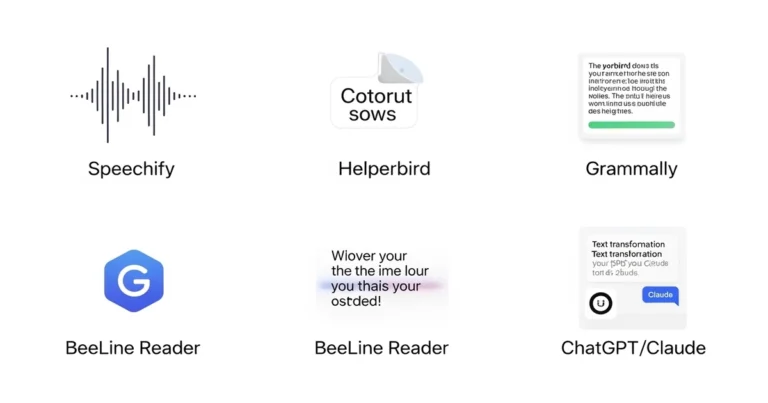
AI writing tools homeschool families use are software programs that help with grading, lesson planning, and student writing. Tools like Grammarly, ChatGPT, and Khanmigo help parents save time and assist students in brainstorming ideas, checking grammar, and improving their essay structure without doing the work for them.
Key Takeaways
| Tool Name | Cost | Best Used For |
|---|---|---|
| Grammarly | Free & Paid | Checking spelling and grammar mistakes. |
| ChatGPT | Free & Paid ($20/mo) | Brainstorming ideas and making lesson plans. |
| Khanmigo | ~$4/month | A safe AI tutor for students. |
| Canva | Free & Paid | creative writing and design projects. |
| Hemingway | Free | Making writing easier to read. |

Is AI Cheating?
Let’s tackle the big question first. Is using AI cheating?
It can be. If a student asks a computer to “Write my history paper” and then turns it in, that is cheating. They learned nothing.
But that is not how we use AI writing tools in homeschool setups. We use them as assistants.
Here is the difference:
- Cheating: The AI writes the essay. The student copies it.
- Learning: The student writes an outline. The AI suggests a better word for “good.” The AI checks for run-on sentences. The student makes the changes.
When you set clear rules, AI becomes a tutor that never gets tired. It helps your child get past the “blank page” fear. It helps them organize their messy thoughts.
Top AI Tools for Your Homeschool
You don’t need expensive software. Most of the best tools are free or very cheap. Here are my top picks for American homeschool families.
1. Grammarly (The Editor)
You probably know this one. It is the king of spell check.
- What it does: It underlines mistakes in red. It fixes spelling. It tells you if you sound rude or nice.
- Why homeschoolers need it: It acts like a second set of eyes. You don’t have to catch every single comma error. Let the computer do that so you can focus on the ideas in your child’s paper.
- Cost: There is a great free version. The Premium version costs about $12 a month if you pay for a year.
2. ChatGPT (The Brainstormer)
This is the famous one. It is a chatbot. You talk to it, and it talks back.
- What it does: It answers questions. It writes stories. It creates quizzes.
- Why homeschoolers need it: Use it for lesson planning. You can say, “Make a 5th-grade lesson plan about frogs.” It will do it in seconds. For kids, it is great for ideas. They can say, “Give me three ideas for a story about a space pirate.”
- Cost: Free. There is a faster paid version for $20 a month, but the free one is fine for most families.
[!PRO TIP]
Always use ChatGPT with your child. Don’t let them use it alone until they are older. It can sometimes give wrong facts. Treat it like a smart but sometimes confused friend.
3. Khanmigo (The Tutor)
This is from Khan Academy. It is built just for education.
- What it does: It guides students. If a student asks for the answer, Khanmigo won’t give it. It asks a leading question to help the student figure it out.
- Why homeschoolers need it: It is safer than ChatGPT. It has guardrails. It helps with math and writing.
- Cost: About $4 per month (donation to Khan Academy).
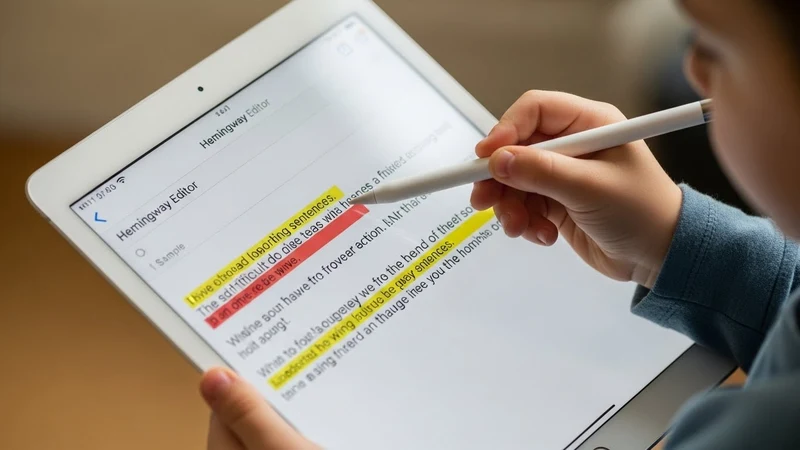
4. Hemingway Editor (The simplifier)
This is a simple website.
- What it does: You paste text into it. It highlights sentences that are too hard to read. It tells you to use simpler words.
- Why homeschoolers need it: It teaches kids to be clear. It stops them from writing long, confusing sentences.
- Cost: Free online.
How Parents Can Save Time with AI
Let’s talk about you. You spend hours planning. AI writing tools homeschool parents use can cut that time in half.
1. Create Custom Curricula
Maybe your child loves trucks but hates reading. Ask AI for help.
- Prompt: “Write a reading list for a 3rd grader who loves monster trucks. Include books about mechanics and racing.”
- Result: You get a custom book list in ten seconds.
2. Make Quizzes and Tests
Writing test questions is boring. Let AI do it.
- Prompt: “Create 5 multiple-choice questions about the American Revolution for a 7th grader. Include an answer key.”
- Result: Instant quiz. You just need to print it.
3. Grade Writing Assignments
This is a big one. Grading essays takes a long time.
- How to do it: Paste your child’s essay into ChatGPT.
- Prompt: “I am a homeschool teacher. Please grade this essay for a 6th grader. Check for grammar and clarity. Give me three positive comments and three things to fix.”
- Result: You get feedback instantly. You still need to read it, but the AI gives you a head start.

How Students Should Use AI
We want our kids to be smart tech users. We don’t want them to be robots. Here is how to teach them to use AI writing tools homeschool style.
1. The Outline Helper
Staring at a blank page is the hardest part of writing.
- The Task: Write a paper about whales.
- The AI Help: The student asks, “Give me an outline for a paper about Blue Whales.”
- The Result: The AI suggests sections: Diet, Habitat, and Size. Now the student knows what to write, but they still have to write the sentences.
2. The Vocabulary Booster
Sometimes kids get stuck using the same words. “The dog was big. The house was big.”
- The AI Help: Ask, “What are other words for ‘big’?”
- The Result: Huge, giant, massive, enormous. The student picks the best one.
3. The Debate Partner
This is great for older kids (high school).
- The Task: Write a persuasive essay.
- The AI Help: Tell the AI, “Pretend you disagree with me about school uniforms. Argue with me.”
- The Result: The student practices their debating skills. It helps them make their essay stronger.
Safety and Rules (Must Read)
You need rules. AI is powerful. If you don’t watch out, it can cause trouble.
Rule #1: Fact Check Everything
AI sometimes lies. We call these “hallucinations.” It might make up a historical date or a book that doesn’t exist.
- Teach your kids: “If the AI says it, you must double-check it in a real book or on a trusted website.”
Rule #2: Never Share Personal Info
Do not type your child’s full name, address, or birthday into a public AI bot.
- Keep it safe: Use nicknames or just say “my student.”
Rule #3: The 80/20 Rule
The student does 80% of the work. The AI does 20%. The AI is for brainstorming and checking, not for drafting the main text.

A Step-by-Step Plan to Start Now
You want to try this? Great. Don’t do everything at once. Start small.
Week 1: Just You
Download Grammarly. Install it on your web browser. Start using ChatGPT to make a meal plan or a simple schedule. Get comfortable with how it talks.
Week 2: Lesson Planning
Use AI to create one lesson plan for next week. Try a fun topic your kids like. See how much time it saves you.
Week 3: Introduce the Kids
Show your kids how it works. Do a fun project together. Ask the AI to write a silly poem about your family dog. Laugh at the results. Show them it is a tool, not a magic wand.
Week 4: The First Assignment
Assign a short paper. Let them use AI to brainstorm the topic. Make them write the draft without AI. Then, let them use Grammarly to check their spelling.
[!PRO TIP]
Transparency is key. Tell your kids, “I use AI to help plan our week. You can use it to help check your work. But we never let it do the thinking for us.”
Why This Matters for Their Future
The world is changing. When your kids grow up and get jobs, they will likely use AI.
If they don’t know how to use it, they might fall behind. If they know how to use it well, they will be ahead of the pack.
By bringing ai writing tools homeschool lessons into your house now, you are preparing them for the real world. You are teaching them digital literacy. That is just as important as math or history.
You are the teacher. You decide how this works. Don’t be afraid to experiment. If a tool doesn’t work for your family, stop using it. There are no strict rules in homeschooling. That is the beauty of it.
Start today. Create a free account. Ask a question. See what happens. You might find that you have a new favorite teaching assistant.

Frequently Asked Questions
1. Will AI replace writing skills?
No. Calculators did not replace math. They just changed how we do it. Kids still need to learn sentence structure and logic. AI helps them polish those skills, but they must learn the basics first.
2. Which AI tool is safe for a 10-year-old?
Khanmigo is the safest bet. It is made for kids. It has strict safety filters. For open tools like ChatGPT, a parent should always be sitting right next to the child.
3. Is Grammarly worth the money for homeschoolers?
The free version is usually enough for elementary and middle school. For high schoolers writing complex research papers, the paid version is very helpful. It explains why something is wrong, which helps them learn.
4. Can AI write my lesson plans?
Yes! It is amazing at this. You can paste in your state’s requirements and ask it to build a schedule. It handles the boring organization so you can focus on teaching.
5. How do I know if my child simply copied the text from AI?
AI writing often sounds a bit robotic. It uses perfect grammar but lacks “voice.” If your 5th grader suddenly uses words like “furthermore” and “consequently” correctly, they might be copying. Ask them to explain what the sentence means. If they can’t, they didn’t write it.
Views: 0