
Homeschooling often feels like you’re juggling flaming torches while riding a unicycle. You want the best for your kids, but the sheer volume of planning, grading, and teaching can be overwhelming. Enter free AI educational tools for homeschooling. Are they a magic wand for stressed parents, or just another tech distraction? This guide cuts through the noise to help you decide if these no-cost digital assistants deserve a spot in your home classroom.
Beginner Basics: What Is AI in the Home Classroom?
If the term “Artificial Intelligence” makes you picture robots taking over the world—or at least your living room—take a breath. In the context of education, AI isn’t about replacing the parent. It’s about having a really smart, incredibly fast assistant who works for free.
At its core, educational AI uses algorithms to process information. It can analyze how your child answers math problems, generate creative writing prompts, or even organize your schedule.
It’s Not Just ChatGPT
While chatbots are popular, the landscape of smart software is much broader. We are talking about adaptive learning platforms that adjust the difficulty level based on your child’s performance, grammar checkers that explain why a comma is needed, and tools that turn text into study quizzes instantly.
The Efficiency Promise
The main draw for most homeschooling parents is time. Imagine cutting your lesson planning time in half. Imagine having a virtual tutor available at 10 PM when you’ve forgotten how to do long division. That is the promise. But does “free” mean “low quality”? Not necessarily. Many companies offer robust free tiers to train their systems or hook users, giving you access to enterprise-level tech without the price tag.

Intermediate Tactics: The Best No-Cost Options
Now that we know what these tools are, let’s look at the ones actually worth using. We can break these down by subject and function.
1. The Writing Assistants
Teaching writing can be subjective and tough. You might know an essay sounds “off,” but explaining why is harder.
- Grammarly (Free Version): It’s more than a spellchecker. It catches tone and basic structural errors. For a middle schooler, seeing a neutral software point out a mistake is often less frustrating than hearing it from Mom or Dad.
- ChatGPT / Claude: Used correctly, these are powerful lesson plan generators. You can ask them to “Create a 5-day lesson plan on the American Revolution for a 5th grader using the Charlotte Mason method.” You can also paste your child’s story and ask the AI to “Find three positive things about this story and one area for improvement regarding descriptive adjectives.”
2. Math and STEM Resources
Math anxiety is real for both parents and kids.
- Khan Academy: While they are rolling out paid AI features (Khanmigo), their core platform remains the gold standard for supplemental learning. Their adaptive system ensures a student masters a concept before moving on.
- Photomath: This app scans math problems and shows the step-by-step solution. Warning: This requires supervision to ensure it’s used for learning, not cheating.
3. Organization and Planning
- Goblin tools: This is a hidden gem. It uses AI to break down overwhelming tasks. If you type “Plan a science fair project,” it will break it down into tiny, manageable steps. It’s brilliant for teaching executive function and critical thinking skills.
- Trello (with Automation): While not purely generative AI, Trello’s automation features help organize curriculum. You can set up recurring cards for daily reading logs or chores.
The “Worth It” Factor: Weighing Pros and Cons
Before you dive in, we need to talk about the trade-offs. Nothing is truly free.
The Cost of “Free”
When a product is free, the data is often the currency. Companies use inputs to train their models.
- Privacy: In the US, we have COPPA (Children’s Online Privacy Protection Act). Always check if a tool is COPPA compliant before letting a child under 13 create an account.
- Ads: Some free mobile apps are riddled with ads that break focus.
The Accuracy Trap
AI “hallucinates.” That’s a nice way of saying it lies with confidence. If you ask a chatbot for historical facts, it might invent a date or a person. This makes digital literacy a mandatory subject. You must teach your kids to verify what the computer tells them.
Screen Time Management
Adding AI means adding screens. For families who prioritize low-tech schooling, this is a major hurdle. The key is to use AI as a tool for the parent to create offline activities, rather than parking the child in front of a device.
Expert Hacks: Getting the Most Out of Free Versions
You don’t need a premium subscription to get premium results. You just need to be smarter than the software. This is where we move from casual use to power usage.
The “Rubric Generator” Strategy
Grading creative work is exhausting. Is that history report an A or a B?
- The Hack: Paste your assignment prompt into an LLM (Large Language Model) and ask: “Create a grading rubric for this assignment for a 7th-grade student, focusing on clarity, historical accuracy, and grammar. Assign points out of 100.”
- The Result: You get a fair, objective measuring stick in seconds.
The Debate Partner
Socialization is a common buzzword in homeschooling discussions, but what about intellectual debate?
- The Hack: Have your high schooler debate a topic with an AI. “Act as a Federalist arguing for the Constitution.” The student argues back. This builds rhetoric skills safely before they try them out in the real world.

Adapting Reading Levels
Found a great article on NASA’s website but it’s too complex for your 4th grader?
- The Hack: Copy the text into an AI tool and type: “Rewrite this text for a 4th-grade reading level.”
- The Result: Instant, age-appropriate science material without dumbing down the concepts.
Expert Note: The “Sandwich” Method
Don’t let AI handle the whole process. Use the Sandwich Method.
- Top Bun (Human): You define the learning goal and the prompt.
- Meat (AI): The tool generates the draft, the quiz, or the explanation.
- Bottom Bun (Human): You or your child verifies the facts and adds the creative spark.
If you skip the bottom bun, you aren’t teaching; you’re just consuming content.
Common Mistakes Parents Make
Even tech-savvy parents fall into these traps. avoiding them saves you frustration.
Mistake 1: “Set It and Forget It”
You cannot simply hand a child an iPad with an AI tutor and walk away for three hours. These tools lack emotional intelligence. They cannot see if a child is frustrated, bored, or simply clicking buttons to get through the lesson. Personalized feedback requires a human connection.
Mistake 2: Ignoring the “Why”
If a student uses AI to write an essay, they haven’t learned to write. If they use it to brainstorm ideas for an essay, they have learned to collaborate. The mistake lies in not defining the boundaries of cheating versus assisting.
Mistake 3: Over-Optimizing
You don’t need an AI tool for every subject. Using too many platforms creates “app fatigue.” Stick to one or two robust tools rather than ten mediocre ones.
Future Trends: Where EdTech is Going
The landscape is shifting fast. Here is what is coming down the pipe for artificial intelligence in education that you should watch for.
Hyper-Personalized Curricula
Soon, we won’t just have adaptive quizzes. We will have entire curricula that rewrite themselves daily based on what your child learned yesterday. If they loved the lesson on volcanoes but hated the one on rivers, the geography curriculum might pivot to teach river dynamics through the lens of volcanic activity.
Voice-First Interfaces
Typing is a barrier for younger kids. As voice recognition improves, we will see more oral exams and conversational learning partners. This is huge for auditory learners and children with dyslexia.
The Rise of “Safe” AI
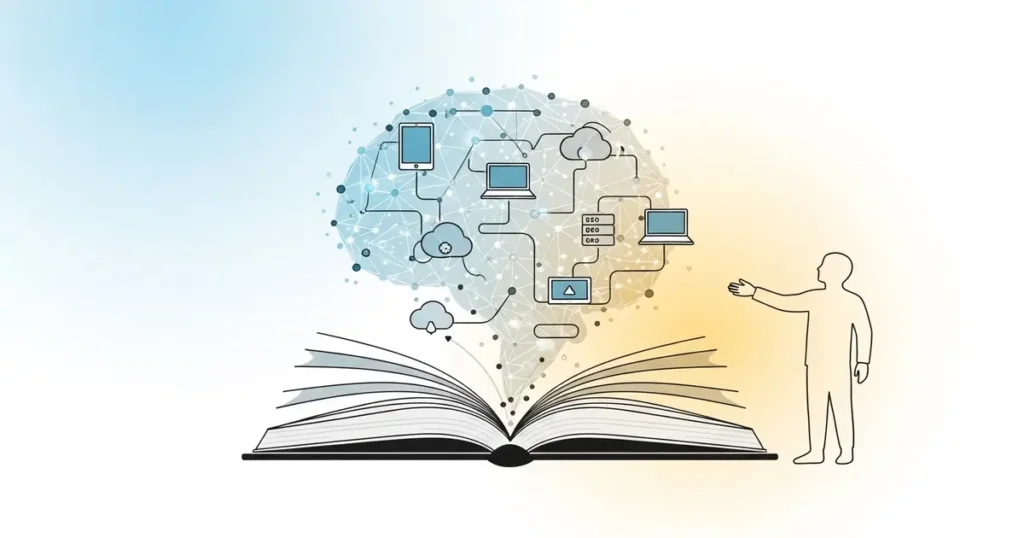
We are starting to see “walled garden” AI tools designed specifically for schools and homes. These will have strict safety filters and be trained only on verified educational data, solving the “hallucination” problem.
Conclusion
So, are free AI educational tools for homeschooling worth your time?
The answer is a qualified yes.
They are worth it if you treat them as power tools—drills and saws that help you build a better education for your child. They are not worth it if you expect them to be the architect and the builder.
These tools can save you hours of planning, provide instant explanations for tricky concepts, and offer personalized curriculum ideas that would cost thousands of dollars to buy pre-packaged. But they require your guidance.
Start small. Pick one pain point in your homeschool day—maybe it’s grading math or coming up with writing prompts—and find a tool to help with that specific task. Keep the human connection first, and let the technology support you, not lead you.
FAQ: Using AI in Your Homeschool
1. Is it considered cheating to use AI for schoolwork?
It depends on how it is used. If a child asks AI to write their paper, yes, that is cheating. If they use it to brainstorm ideas, check their grammar, or explain a difficult concept, that is studying. Establish clear rules early on.
2. Are free AI tools safe for children?
Not all of them. Most General AI tools (like ChatGPT) are intended for users 13+ or 18+. Always check the Terms of Service. For younger kids, stick to platforms specifically designed for education like Khan Academy or apps with COPPA compliance.
3. Will AI replace me as the teacher?
No. AI can provide information, but it cannot provide wisdom, encouragement, or moral guidance. It lacks the ability to understand your child’s unique emotional needs. You are still the captain of the ship.
4. How do I prevent my child from accessing inappropriate content on AI tools?
Supervision is key. Keep computers in shared family spaces. Also, many AI interfaces now have “Safe Mode” settings or content filters. Teach your children that if the AI says something weird or inappropriate, they should tell you immediately.