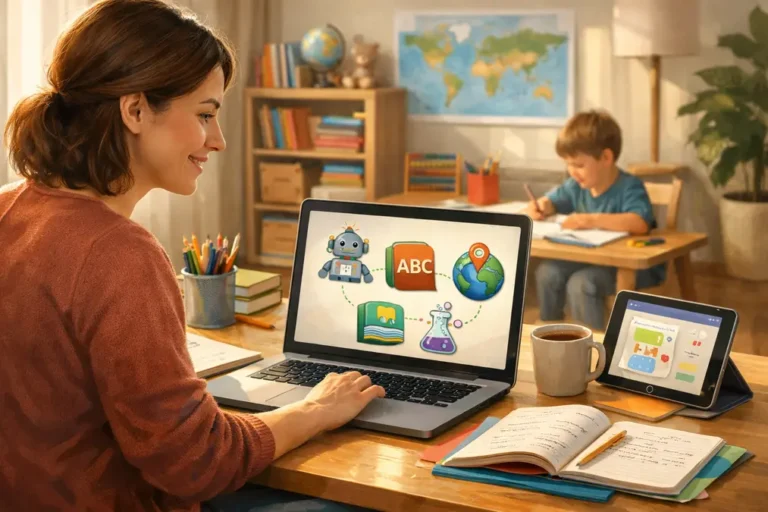

Free AI Tools for Homeschool Teaching (2026 Parent Guide)
Let me be honest with you—when I started homeschooling, I thought, “I’ve got this,” until I didn’t.
Lesson planning took hours, worksheets felt repetitive, and sometimes I wasn’t even sure what new resource to try next.
You’re probably here because you’ve felt that same overwhelm.
You want help, but without spending a fortune. Furthermore, you want tools that are actually free and easy to use. That’s exactly why I put together this guide to free AI tools for homeschool teaching—so you can get practical help right now without sifting through confusing lists or paid subscriptions.
In this article, you’ll discover:
- tools that help with lesson planning
- Tools for quizzes and activities
- tools that support reading, writing, and learning
- Yes—tools truly free for homeschool families
I’ll also show you how to use them week by week, and what settings or tips make them work best for your kids.
Let’s make your homeschool journey easier and more fun—starting today.
1. Why Free AI Tools Make Homeschooling Easier
Here’s the thing: homeschooling is rewarding… but it’s a lot.
Between planning lessons, creating materials, and helping kids understand concepts, it can feel like a full-time job. AI tools can help take some of that burden off your shoulders.
Most tools now offer free access or free tiers that let you:
- Generate lesson plans
- Create quizzes and worksheets.
- Get learning explanations.
- Support kids with feedback
AI doesn’t replace you.
It supports you—like a smart, patient helper who never runs out of ideas.
Pro Tip: Use AI as a teaching partner, not a shortcut to answers. That keeps your homeschool authentic and learning-focused. TSH Anywhere.
2. Free AI Tools for Lesson Planning
ChatGPT
Best for: Ideas, plans, explanations
ChatGPT is currently one of the most popular AI tools for homeschool teaching. You can ask it to:
- Plan a week’s worth of lessons.
- Explain tough topics in simple language.
- Generate discussion questions.
Example prompt:
“Create a 5-day history lesson for a 9-year-old about Ancient Egypt with activities.”
This tool helps you cut planning time drastically, and its free tier is truly usable for daily needs.
Slidesgo (AI Lesson Tools)
Slidesgo offers an AI lesson plan generator that helps you create structured plans with activities, objectives, and materials. It’s especially handy when you want something ready to go without starting from scratch. Slidesgo
2. Discovering Free AI Tools for Homeschool Teaching
If you would rather not write from scratch, Slidesgo’s generator gives you a detailed blueprint in minutes.
Microsoft AI for Homeschooling
Microsoft highlights using AI to plan personalized lessons, locate materials, and tailor learning to your child’s style. It’s free for everyday learners and parents. Microsoft
This works great when you fill in details like age, grade, and interests.
3. Free AI Tools for Worksheets and Activities
Creating worksheets manually can take forever. These tools help you generate them quickly.
Canva (Free Team Version)
Canva’s free tier now includes AI features that help you:
- Build worksheets.
- Make flashcards.
- Design educational posters.
Just pick a template and let AI generate content—then adjust it to your needs. It’s visual, kid-friendly, and fast.
The Study
Thea takes your existing material (PDFs, slides, notes) and turns them into:
- personalized study kits
- flashcards
- practice questions
- mini quizzes
It’s a huge time-saver when you want study guides aligned with your curriculum. Thea
4. Free AI Tools That Help Kids Learn Independently
 AI tutors supporting homeschool learning for children at home” class=”wp-image-120″ style=”aspect-ratio:1.778061224489796;width:683px;height:auto”/>
Sometimes kids need help when you’re not right there. These tools give them a gentle learning boost.
Khan Academy
Khan Academy offers a library of free lessons, videos, and practice exercises across subjects like math, science, and reading. It also has an AI-powered assistant called Khanmigo that helps explain topics and guide thinking — and it’s free for many educators and learners. Khanmigo
Kids can learn at their own pace, which is perfect for independent study moments.
AI Tools for Kids & Teens
Tools like Scratch with AI, ChatGPT, and Canva are great because they are:
- beginner-friendly
- visual or interactive
- supportive of creativity
They help kids explore and learn without feeling overwhelmed. Codingal
Pro Tip: Pair these tools with real-world activities — like a writing task or mini project — so kids apply what they learn.
5. Free AI Tools for Creativity and Writing
Writing and creative thinking are important in homeschool learning, but they can be hard to teach.
ChatGPT (Creative Prompts)
Ask ChatGPT to:
- help brainstorm writing ideas
- suggest story prompts
- Give feedback on a draft
Example prompt:
“Give 5 creative story starters for a 10-year-old.”
This encourages kids to think and craft their own words.
AI Writing Assistants
There are free-tier tools that help with grammar, clarity, and style without doing the work for the child. They’re excellent for older kids working on essays or explanations.
6. Free AI Tools for Quizzes and Feedback
Assessment doesn’t have to be stressful.
Google Forms + AI
Use Google Forms to build quizzes and then ask AI to:
- generate questions
- summarize responses
- create feedback notes
It’s a free and powerful way to check understanding.
Example method:
- Ask AI to create a quiz
- Paste questions into Google Forms
- Share with your child
- Use AI to explain wrong answers
Boom — quick assessment that feels supportive.
7. Personalized Curriculum and Advisor Tools
Some tools use AI to match learning to your child’s profile:
SmartPath
SmartPath AI gathers:
- your child’s strengths
- interests
- learning style
Then it recommends curriculum options that fit. It’s like having a homeschool consultant in your pocket. Opened
This is amazing when you feel stuck choosing the right direction.
8. Practical Weekly Workflow Using AI (Step-by-Step)
Here’s a simple routine you can use every week:
Monday:
- plan lesson topics with ChatGPT
Tuesday:
- generate worksheets with Canva or Thea
Wednesday:
- Let kids practice with Khan Academy
Thursday:
- Check understanding with Google Forms
Friday:
- review progress and adjust
This rhythm keeps learning steady and makes your week manageable.
9. Safety and Screen-Time Tips for AI Use
AI tools are great, but safety matters — especially for kids.
- Stay involved: sit with your child when using AI
- Supervise chat tools: avoid unsupervised open chat for young kids
- Use kid-friendly modes: Choose tools with filtered or age-appropriate settings
- Encourage questions: have kids explain what the AI suggested
AI should support learning, not replace you or their effort.
10. Common Mistakes to Avoid With AI in Homeschooling
Here’s what I see parents do — and what to avoid:
❌ Using AI for answers instead of understanding
❌ Letting kids use open chat without guidance
❌ Trying too many tools at once
❌ Skipping real discussions about the lesson
Stick to a few tools, build a rhythm, and review outcomes weekly.
🔎 Frequently Asked Questions
Q: Are free AI tools safe for kids?
Yes — if used with supervision and age-appropriate settings.
Q: Will these tools replace teachers?
No. They support you, not replace your role.
Q: Do these tools cost anything?
All tools in this guide have usable free versions.
Q: What ages benefit most?
Ages 5–15 can benefit, with supervision for younger kids.
Q: How often should I use AI tools?
A few times per week is enough — balance is key.
🧠 Conclusion
Homeschooling doesn’t have to be overwhelming. With the right free AI tools for homeschool teaching, you can save time, spark curiosity, and support your child’s learning — without spending a dime.
Start with core tools like:
- ChatGPT for planning
- Canva for worksheets
- Khan Academy for independent study
Add others as needed, and build routines that work for you and your child.
AI isn’t magic — but it is a smart helper that makes teaching easier and more fun.
🗨️ Ready to try one? Let me know in the comments which tool you’ll use first!
The Best Free AI Tools for Homeschool Teaching (Full Breakdown)
Free AI tools for homeschool teaching in 2026 cover everything from full lesson plan generation to adaptive student tutoring to essay feedback. Here is a complete breakdown of what each free tool does best and where each has limits.
MagicSchool AI — Free Tier Breakdown
The free tier of MagicSchool AI includes lesson plan generation, worksheet creation, quiz building, rubric creation, and differentiated activity suggestions. For most homeschool families, the free tier is sufficient for a full school week of planning. The paid tier adds faster generation and a higher volume of monthly uses — evaluate whether you hit the free tier limits before upgrading.
ChatGPT — Free Version Capabilities
The free version of ChatGPT (GPT-4o) is capable enough for all standard homeschool planning and tutoring tasks: lesson planning, worksheet generation, essay feedback, subject explanation, curriculum research, and quiz creation. You do not need the paid Plus plan for homeschool use unless you need faster response times or access to specialized plugins.
Khanmigo — Free for US Families
Khanmigo is completely free for US families as of 2026. It covers all K-12 subjects with Socratic AI tutoring. For homeschool parents who want a free, safe, educationally sound AI tutor for their child, Khanmigo is the top recommendation with no cost barrier.
Khan Academy — Free Practice and Progress Tracking
Khan Academy provides free adaptive practice across all K-12 subjects with a parent dashboard that tracks mastery, time spent, and accuracy. The practice library is comprehensive and the content is high quality. For families who need a completely free homeschool AI toolkit, MagicSchool AI (planning) plus ChatGPT (flexibility) plus Khanmigo (tutoring) plus Khan Academy (practice) covers all four core needs at zero cost.
Grammarly Free — Writing Feedback
The free version of Grammarly covers grammar, spelling, and basic sentence clarity. For homeschool students producing written work, this is enough for the mechanical review layer. The paid version adds tone detection and more advanced style suggestions — useful for high school students but not essential for elementary or middle school writers.
Diffit — Free Reading Level Adjustment
Diffit’s free tier generates leveled reading passages, comprehension questions, and vocabulary lists on any topic. For multi-grade homeschool families, this is one of the highest-value free tools available — it solves the reading differentiation problem that previously required purchasing multiple versions of the same curriculum.
When Free Tools Are Not Enough
Free tools cover most homeschool needs effectively. The main situations where paid tools add genuine value:
- Math tracking depth: Free tools like Khan Academy track practice completion. StarSpark AI provides deeper mastery tracking with more granular progress data. If you need detailed math reporting for portfolio documentation or state requirements, StarSpark’s paid version is worth evaluating.
- Accelerated math: Math Academy’s intensive spaced-repetition system is not available at no cost. For students who are significantly ahead in math and need genuinely advanced adaptive content, this is the gap the paid version fills.
- Volume of planning: MagicSchool AI’s free tier has usage limits. Families with multiple children across many subjects may find they benefit from the paid tier for higher-volume lesson generation.
Try StarSpark AI Free — Start With the Trial Before Committing
Related: Best AI tools for homeschool parents and free AI lesson planners guide.
Views: 1