
10 Best AI Tools for Homeschooling USA: 2026 Parents Guide
The best AI tools for homeschooling USA include ChatGPT for lesson ideas, Khanmigo for personalized tutoring, and MagicSchool.ai for administrative tasks. These platforms help parents automate curriculum development, provide 1-on-1 student support, and adapt educational content to specific learning needs, effectively saving hours of manual planning each week.
Teaching today-whether in a classroom or at home-feels overwhelming. Between lesson planning, grading, and keeping students engaged, it’s easy to feel burned out.
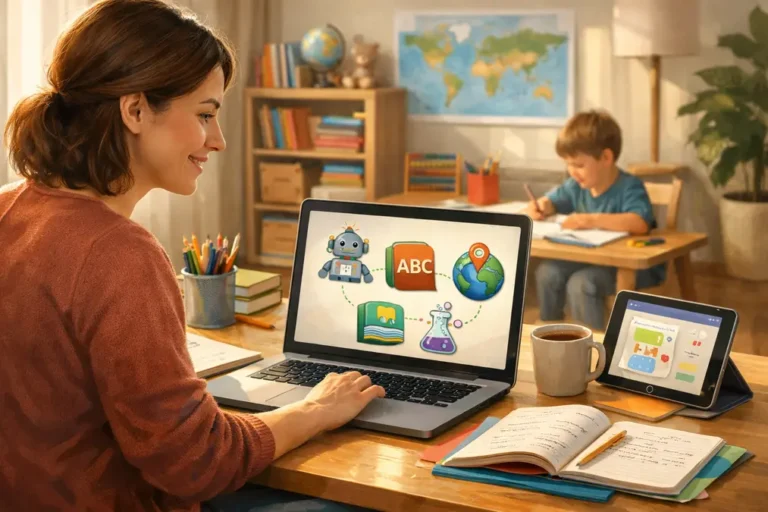
That’s exactly where AI teaching tools are changing everything for American families. Instead of spending hours creating worksheets or adapting lessons, you can now do it in minutes.
In this guide, we’ll explore the most powerful AI tools that teachers and homeschool parents in the USA are using right now. You’ll discover which tools actually save time, how to use them effectively, and which combination works best in real-life teaching scenarios.
By the end, you’ll have a simple roadmap to make teaching easier, faster, and far more engaging for your students.
- Why Best AI Tools for Homeschooling Teaching Are Changing Education
- Key Benefits of AI for Teachers and Homeschoolers
- How to Use AI Tools Effectively (Step-by-Step)
- Best AI Teaching Tools in 2026
- Comparison Table of Top AI Tools
- Best AI Tool Stack (Real Workflow)
- Common Mistakes to Avoid
- How to Use These 10 AI Tools Together (Not Just One at a Time)
- Frequently Asked Questions
- Conclusion
Why Best AI Tools for Homeschooling Teaching Are Changing Education
Summary: AI is transforming how lessons are created, delivered, and personalized for every student.
The Rise of AI in Education
Education is shifting from manual teaching to AI-assisted workflows. This allows parents to focus on mentorship rather than just administration.
Teachers and parents are using Artificial intelligence in education to reduce workloads by up to 50 percent. This creates a more sustainable environment for long-term home education.

Personalized Learning at Scale
Tools like Diffit and Khanmigo adjust content levels to meet the student where they are. This ensures no child is left behind or bored through personalized learning.
Every student learns at their own pace using modern educational technology. This creates a truly custom K-12 curriculum experience for every family.
From Burnout to Balance
AI reduces repetitive tasks like grading and data entry. This frees up mental energy for deeper discussions and creative projects.
With more time for actual teaching, parents can focus on the emotional and social growth of their children. AI handles the heavy lifting of preparation.
Key Benefits of AI for Teachers and Homeschoolers
Summary: AI tools simplify teaching while improving student outcomes and reducing stress.
How to Use AI Tools Effectively (Step-by-Step)
Summary: A simple system to integrate AI into daily teaching without feeling overwhelmed.
- Identify your biggest time-consuming task, such as grading or planning.
- Choose the right AI tool that fits that specific educational need.
- Start with only 1 or 2 tools to avoid technology fatigue.
- Customize AI-generated content to match your child’s specific interests.
- Track student engagement to see if the tool is actually improving results.
Best AI Teaching Tools in 2026
Summary: These tools are the most effective for real teaching use in a home environment.
1. Eduaide.ai (Best for Lesson Planning)
Create full lesson plans instantly based on any subject or grade level. It is ideal for busy parents who need structure.
This tool saves hours every week by generating rubrics, worksheets, and teaching aids in seconds to simplify homeschool lesson planning.
2. Curipod (Best for Engagement)
Interactive slides and questions make every lesson feel like a game. It is a favorite for boosting student participation.
This tool helps keep students focused during complex subjects like science or history.

3. Diffit (Best for Mixed Levels)
Converts any content into multiple difficulty levels instantly. It is perfect for families teaching children of different ages.
This allows everyone to learn the same topic while reading at their own specific level.
4. TeachMateAI (Best for Productivity)
Handles admin tasks, reports, and emails like a professional teaching assistant. It keeps the business side of homeschooling organized.
5. Quizizz (Best for Gamification)
Fun quizzes and homework assignments keep students engaged through healthy competition and rewards.
6. MagicSchool.ai (Best All-in-One Tool)
This platform offers multiple teaching tools in one place, making it the best starting point for beginners.
7. ChatGPT (Best for Flexibility)
Generate lesson ideas, simple explanations, and creative writing prompts. It is the most versatile all-purpose AI tool available to use ChatGPT for homeschooling.
8. Khanmigo (Best for Tutoring)
Uses a guided learning approach to act as an AI math tutor middle school tool. It never gives the answer, but helps the student find it.
9. Canva (Best for Visual Learning)
Create stunning presentations and visuals to make lessons more memorable. It is ideal for visual learners and creative projects.
10. Grammarly (Best for Writing Skills)
Improves grammar and clarity while teaching students how to write more effectively using AI writing tools.
Comparison Table of Top AI Tools
Summary: Choose the best tool based on your specific homeschooling needs.
| Tool | Best For | Ease of Use | Free Plan |
|---|---|---|---|
| Eduaide | Lesson Planning | Easy | Yes |
| Curipod | Engagement | Easy | Yes |
| Diffit | Differentiation | Easy | Yes |
| Quizizz | Gamification | Very Easy | Yes |
| MagicSchool | All-in-One | Easy | Yes |
Best AI Tool Stack (Real Workflow)
Summary: Combine these tools into a single workflow for maximum results.
For a perfect school day, use this sequence:
- Lesson planning: Use Eduaide to create the curriculum.
- Engagement: Use Curipod or Quizizz to deliver the lesson.
- Differentiation: Use Diffit to adjust the reading level for siblings.
- Feedback: Use ChatGPT to generate summary questions.

Common Mistakes to Avoid
Summary: Avoid these pitfalls to get the best results from your digital tools.
- Using too many tools at once, which leads to technology burnout.
- Not editing AI content, which can sometimes result in factual errors.
- Over-relying on automation and losing the personal parent-child connection.
- Ignoring student feedback on which tools they actually enjoy using.
How to Use These 10 AI Tools Together (Not Just One at a Time)
Most homeschool AI guides list tools in isolation. The real value comes from combining them intelligently. Here is how to build a complete AI-supported homeschool using the tools on this list.
The Planning Layer: MagicSchool AI + ChatGPT
Use MagicSchool AI to generate your weekly lesson plans in bulk. Use ChatGPT to fill in any gaps — custom worksheets, essay prompts, quiz questions, or explanations of topics your child is struggling with. Together, these two tools handle virtually all of your lesson planning and material preparation in under 30 minutes per week.
The Practice Layer: Khan Academy + StarSpark AI
Khan Academy provides structured practice across all subjects at no cost. StarSpark AI provides deeper adaptive math practice with more detailed parent reporting. Use Khan Academy as your daily foundation and add StarSpark for focused math support when you need more granular tracking or adaptive depth than Khan Academy provides.
Try StarSpark AI Free — Deeper Math Practice Alongside Khan Academy
The Tutoring Layer: Khanmigo
When your child needs explanation rather than practice — when they do not understand a concept rather than just needing more repetitions — Khanmigo is the tool. It guides students to understanding through questioning rather than delivering answers. Free for US families.
The Writing Layer: Grammarly + ChatGPT
Grammarly handles mechanical feedback — grammar, spelling, sentence clarity. ChatGPT handles content feedback — argument quality, structure, whether the essay actually says something meaningful. Run every piece of student writing through Grammarly first, then through a ChatGPT grading prompt for content review.
Frequently Asked Questions
How many AI tools should I use at once?
Start with two or three and add more only when you have a clear gap the existing tools are not filling. Most homeschool families find that three well-chosen tools used consistently outperform ten tools used sporadically. The planning layer and the practice layer are the highest priorities to establish first.
What is the total cost of a full AI homeschool toolkit?
MagicSchool AI free tier, Khanmigo free, Khan Academy free, ChatGPT free, Grammarly free — a complete planning, tutoring, practice, and writing feedback toolkit at zero cost. Adding StarSpark for deeper math tracking adds a trial cost and then a monthly fee after evaluation. Most families build a highly effective toolkit for under $20 per month.
Conclusion
Summary: AI tools make teaching easier, faster, and far more effective for everyone.
AI is no longer optional for modern education—it is a powerful advantage.
By using the right tools, you can save hours every week while creating better learning experiences for your children.
Start small. Pick one tool from this list today and see how it changes your workflow.
Views: 0