
 By
By 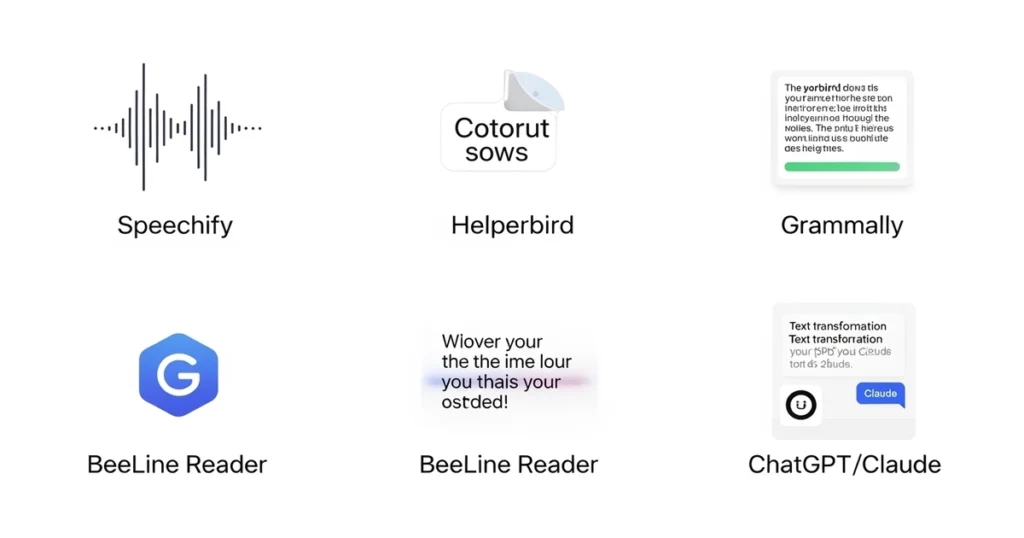
If you or your child struggle with reading, you know that letters can sometimes feel like dancing butterflies-always moving, flipping, and hard to catch. This is a common experience for those with dyslexia, and for years, the only solution was “trying harder.”
But in 2026, the game has changed. AI tools for dyslexia text transformation are now available, turning the frustration of a printed page into an accessible, easy-to-understand experience. These tools don’t just “fix” text; they transform it into a format that the dyslexic brain loves.
In this comprehensive guide, we will explore the top 5 AI tools for dyslexia text transformation, showing you exactly how to use them at home and in the classroom to turn reading from a mountain into a molehill.
What Exactly are AI Tools for Dyslexia Text Transformation?
Let’s start with a very simple explanation. Imagine you are trying to build a Lego set, but the instructions are written in a language you don’t understand. You are smart enough to build the set, but you just can’t read the map.
AI tools for dyslexia text transformation are like a “magic translator.” They don’t change the story; they change how the story is delivered.
Instead of forcing you to struggle with a “hard” format (like a wall of black text on white paper), these tools transform the text into a “friendly” format. This could be:
- Changing the Sound: Turning a page into a human-sounding voice.
- Changing the Look: Swapping a scary font for one that doesn’t flip.
- Changing the Level: Turning “big, scary words” into “small, simple words.”
The Top 5 AI Tools for Dyslexia Text Transformation in 2026
Not all AI is created equal. Depending on where you struggle—reading, writing, or focus—you need a different “magic wand.” Here are the best picks for 2026.
1. Speechify: The Gold Standard for Audio Transformation
Speechify is the most famous of the AI tools for dyslexia text transformation because it focuses on the “Auditory Bridge.”
How it works: It uses advanced AI to read any text—PDFs, emails, or physical books—out loud. In 2026, the voices are hyper-natural, meaning they sound like a real human, not a robot.
How to use it:
- Upload: Take a photo of your textbook or upload a digital file.
- Select Voice: Pick a voice that feels calming and clear.
- Follow Along: Use the “Word Highlighting” feature. As the AI speaks, the word turns yellow. This trains the brain to link the sound to the visual letter.
2. Helperbird: The Visual Architecture Tool
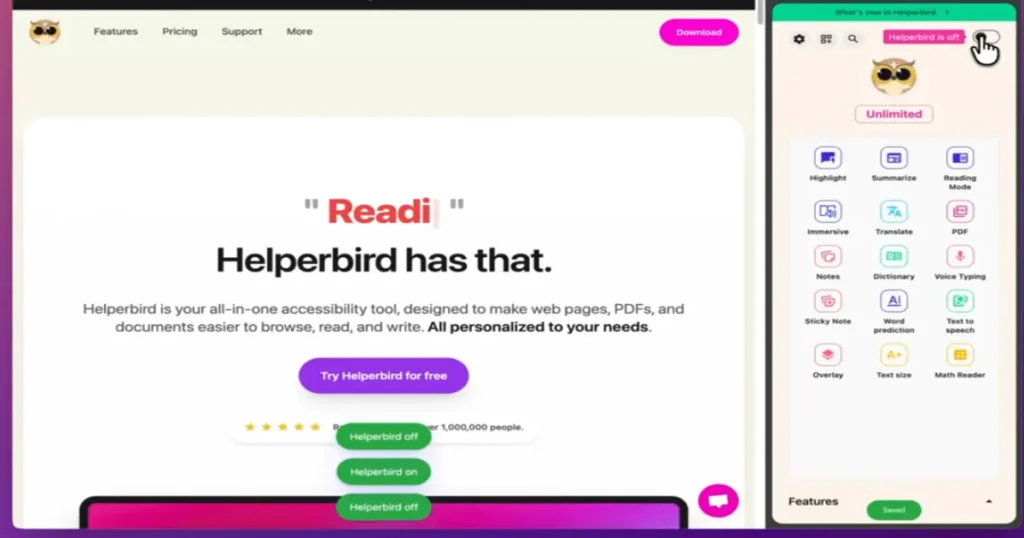
Some people don’t struggle with the words, but with the visual stress of the page. Helperbird is a browser extension that lets you redesign the internet.
How it works: It transforms the “visual layer” of a website. Its most powerful feature is the OpenDyslexic font, which has “heavy bottoms” to stop letters from flipping upside down in your mind.
How to use it:
- Install: Add the extension to Chrome or Edge.
- Activate OpenDyslexic: Switch all fonts to the dyslexia-friendly version.
- Adjust Overlays: Change the bright white background to a soft pastel blue or yellow to reduce eye strain.
3. Grammarly: The Writing & Confidence Coach
For many, writing is the scariest part of the day. The fear of a “red underline” can stop a brilliant student from sharing their ideas.
How it works: Grammarly is one of the best AI tools for dyslexia text transformation for writing. It doesn’t just fix a typo; it transforms a confusing sentence into a clear one.
How to use it:
- Draft: Write your ideas without worrying about spelling.
- Review: Click on the AI suggestions to see the “correct” way to spell or phrase a sentence.
- Learn: Read the explanation Grammarly provides so you can recognize the pattern next time.
4. BeeLine Reader: The Visual Flow Guide
Do you ever find yourself reading the same line three times? Or skipping a whole paragraph by mistake? BeeLine Reader fixes the “flow.”
How it works: It uses a color gradient. The end of one line fades into a color that matches the start of the next line. It’s like a “visual bridge” for your eyes.
How to use it:
- Activate: Turn on the BeeLine extension on any article.
- Choose Gradient: Select a color flow (e.g., Blue to Pink) that feels comfortable.
- Read: Let the colors lead your eyes naturally across the page.
5. ChatGPT / Claude: The Language Simplifiers
Sometimes the “transformation” needed is not visual or auditory, but linguistic.
How it works: These AI models can take a complex, academic paragraph and “transform” it into a simple, ELI6 explanation.
How to use it:
- Copy: Paste a difficult paragraph into the AI.
- Prompt: Type: “Rewrite this for a 6-year-old using simple words and short sentences.”
- Absorb: Read the simplified version first to understand the “big picture,” then go back to the original text.
🏫 For Teachers: How to Manage a “Batch” of Students
If you are a teacher, you cannot sit next to every student every second. The goal is to create a Self-Sufficient Classroom using these tools.
1. The “Digital Choice Board” Strategy
Instead of giving one printed worksheet, provide a digital link.
- The Method: Tell your students, “If you want to listen, use Speechify. If you want the special font, use Helperbird.”
- The Result: You empower the student to choose the tool that fits their brain, reducing their anxiety and your workload.
2. “Ideas First, Spelling Second” Grading
Use AI tools for dyslexia text transformation to change how you grade.
- The Method: Let students use Grammarly for their first drafts. Grade them on their ideas, logic, and creativity rather than their spelling.
- The Result: This removes the “spelling wall” and allows the student’s true intelligence to shine.
🏠 For Parents: Ending the “Homework Battles”
At home, the goal is to build confidence. When a child feels successful, they stop resisting.
1. The “Pre-Read” Routine
Before your child opens a textbook, use a “Pre-Read” strategy.
- Step 1: Use Speechify to let them listen to the chapter summary.
- Step 2: Now, when they read the physical book, they aren’t struggling to understand what is happening; they are just practicing how to read the words.
2. Creating a “Confidence Station”
Set up a dedicated tablet or laptop equipped with the “Dyslexia Suite” (Helperbird, BeeLine, and Grammarly).
- The Mindset: Tell your child, “These tools are like glasses. Some people need glasses to see; you use these tools to read. Both are normal!”
The “Training Wheels” Philosophy: Will AI Make Them Lazy?
A common fear among parents and teachers is: “If they use AI tools for dyslexia text transformation, will they ever learn to read on their own?”
The answer is a loud YES.
Think of AI as training wheels on a bicycle.
- If a child tries to ride a bike and falls 100 times, they will give up and never ride again.
- Training wheels (AI) allow them to experience the joy of moving forward.
- Once they realize they are smart and capable, they become more motivated to learn the hard parts of reading.
📊 Summary Table: Which AI Tool Should You Use?
| If the struggle is… | The Best Tool | The Transformation | Primary Goal |
|---|---|---|---|
| Decoding Letters | Speechify | Text Audio | Comprehension |
| Visual Stress | Helperbird | Standard OpenDyslexic | Visual Comfort |
| Losing Place | BeeLine Reader | Plain Color Flow | Reading Speed |
| Spelling Anxiety | Grammarly | Error Corrected | Writing Confidence |
| Complex Words | ChatGPT/Claude | Complex Simple | Understanding |
Frequently Asked Questions (FAQ)
Q: Are these AI tools for dyslexia text transformation free?
A: Most offer a “Freemium” model. The basic versions are usually free and provide 80% of the value. Pro versions offer “celebrity voices” or more advanced writing tools.
Q: Is using AI in the classroom considered cheating?
A: Absolutely not. In the USA, these are classified as Assistive Technologies. Under IDEA (Individuals with Disabilities Education Act), students have a right to tools that make the curriculum accessible.
Q: Can these tools help with ADHD too?
A: Yes! Tools like BeeLine and Speechify provide “active stimulation,” which helps a distracted mind stay locked onto the text.
Final Thoughts: The Future of Inclusive Learning
The world was built for people who read in straight lines, but people with dyslexia often think in 3D, patterns, and pictures. By using AI tools for dyslexia text transformation, we stop forcing the student to fit into a rigid box and instead give them a key to unlock their own potential.
Stop the struggle. Start the transformation.
Wanna read more? Check out these links:
Unlocking STEM: Why the Best AI Science Tutor for Homeschool Kids is a Game Changer
Top AI Math Tutor Middle School Tools for Better Grades
Time4Learning 8th Grade Curriculum Review (2026): What Actually Works for Real Homeschool Families
StarSpark AI Math Tutor Review: The AI Teacher That Helps Kids Finally Understand Math
Check out our super cool AI Lesson Plan Generator. It’s a neat tool that makes lesson planning a breeze and totally saves you time. No matter if you’re a pro teacher or new to the game, you can whip up awesome lesson plans like it’s nothing. Just give our free AI Lesson Plan Generator a whirl and see how simple it is to create solid teaching stuff. Share your thoughts below